Universal Configuration Manager - Universal Data Mover Manager
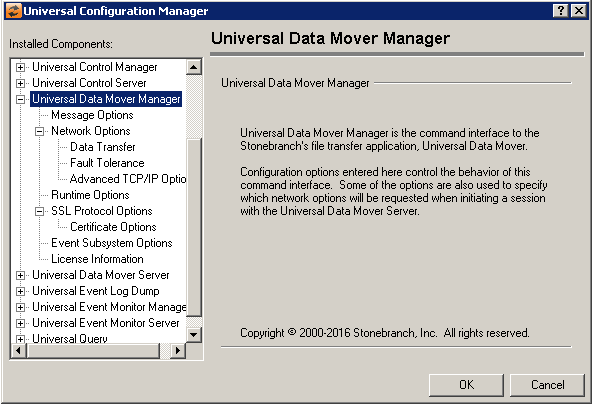
Universal Data Mover Manager: Message Options
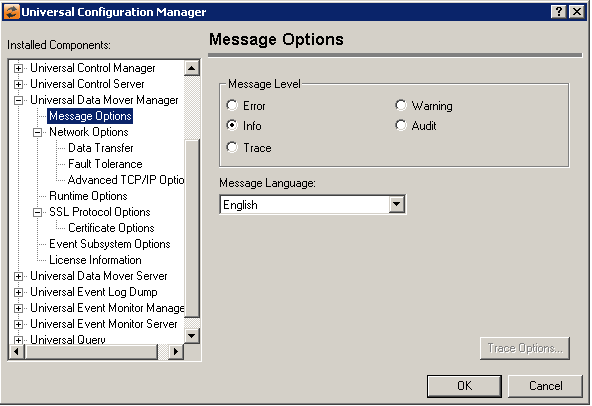
Field | Description |
|---|---|
Message Level | Error Warning Info Audit Trace |
Message Language | Specifies the language used to display error messages. |
Universal Data Mover Manager: Network Options
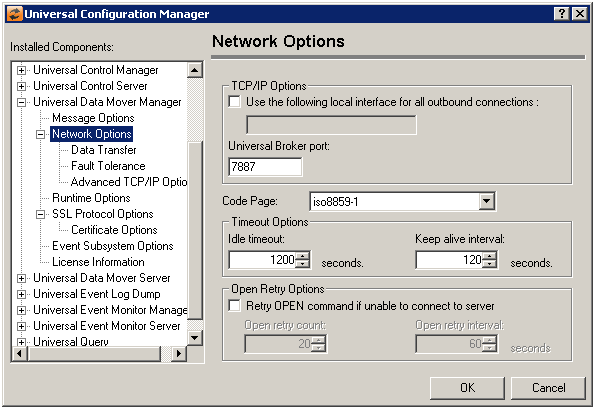
Field | Description |
|---|---|
TCP/IP Options | Use the following local interface for all outbound connections Universal Broker Port |
Code Page | Sets the translation table used to translate text-based data transmitted across the network. |
Timeout Options | Idle Timeout Keep Alive interval |
Open Retry Options | Retry open command if unable to connect to server Open retry count Open retry interval |
Universal Data Mover Manager: Network Options - Data Transfer
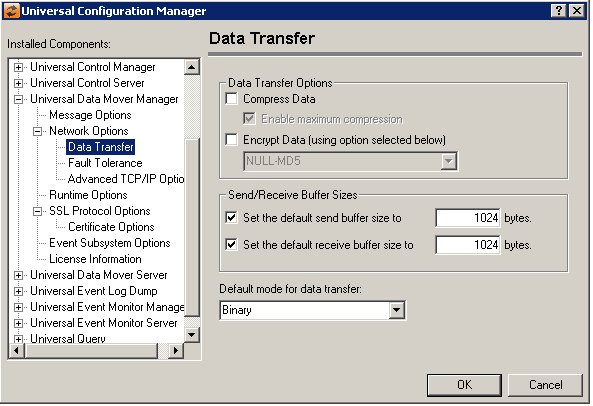
Field | Description |
|---|---|
Data Transfer Options | Compress Data Encrypt Data (Using option selected below) When this option is checked and no specific cipher is specified, UDM uses the Manager and Server's configured data SSL/TLS cipher list to negotiate the encryption method. When the data encryption checkbox is selected, you may select an item in this list to set the UDM Manager's encrypt configuration option to an SSL/TLS cipher. UDM then requests this cipher whenever it encrypts the data it transfers. Note that if the target UDM Server does not support the selected cipher (as indicated by the Server's configured data SSL/TLS cipher list), the encryption request fails. The following cipher suites are available:
When the data encryption option is checked and the (negotiate using data SSL/TLS cipher list) item is selected, the encrypt option is set to yes, which instructs UDM Manager to negotiate the encryption method with the Server, using their respective data SSL/TLS cipher lists. |
Send/Receive Buffer Sizes | Set Default Send Buffer size to Set default receive buffer size to |
Default mode for data transfer | Specifies the default manner in which files will be transferred (Binary or Text). |
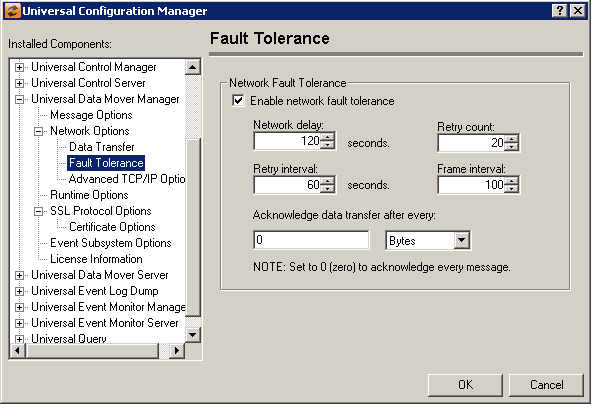
Universal Data Mover Manager: Network Options - Fault Tolerance
Field | Description |
|---|---|
Network Fault Tolerance | Enable Network Fault Tolerance Network Delay Retry Count Retry Interval Frame interval Acknowledge data transfer after every The format of the value is nnnnb, where 'nnnn' is a numeric value and 'b' is one of the following optional unit specifiers:
The maximum value permitted is 500M. A value of 0 (zero) causes every message that contains data for a file transfer to be acknowledged (default NFT behavior). |
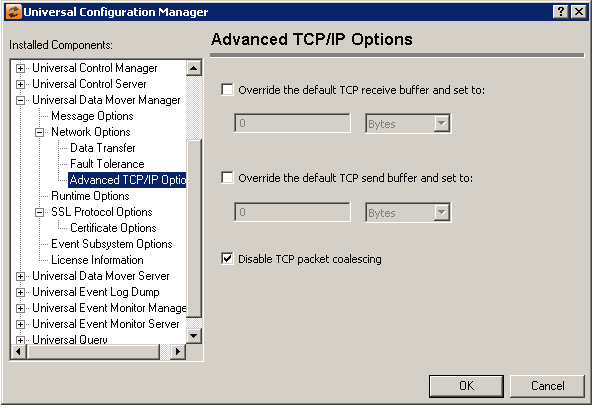
Universal Data Mover Manager: Network Options - Advanced TCP/IP Options
Field | Description |
|---|---|
Override the default TCP receive buffer and set to | Allows the UDM manager to set the TCP receive buffer for a UDM server larger than the default maximum of 64k bytes. Setting this value enables RFC 1323 window scaling support, which can increase TCP buffer sizes over a fast, high-bandwidth network to almost 1 gigabyte (1,076,725,400 bytes). When this option is not selected a UDM uses a default of 0 bytes, which disables RFC 1323 window scaling support. Note that even when a value is specified for this option, the TCP/IP stack ultimately decides the size of the transfer buffer. Specifies the TCP receive buffer size for the TCP socket connections from the UDM manager to the UDM server. The option has no effect for UDM three party transfers. The UDM server and Universal Broker configuration affects UDM three party transfers. Refer to the Universal Broker tcp_recv_buffer option to set the TCP receive buffer for the other end of the socket connection. The socket TCP receive buffer is used by TCP to determine the size of the TCP window it advertises to the sending TCP. If both TCP implemenations support window scaling (as defined in RFC 1323), buffer sizes greater then 65535 will be used for the TCP window size. Note that both the sending and receiving TCP implemenations must support window scaling for it to be used in the TCP connection. Adjusting the TCP receive buffer size may improve bulk data transfer performance for certain types of transmission links when transfering data from the UDM server to the UDM manager. The format of the value is nnnnb, where 'nnnn' is a numeric value and 'b' is one of the following optional unit specifiers:
Note that the maximum allowable value for this option is 1076725440 bytes, which can be requested using a value of 1g. |
Override the default TCP send buffer and set to | Specifies the TCP send buffer size for the TCP socket connections from the UDM manager to the UDM server. The option has no effect for UDM three party transfers. The UDM server and Universal Broker configuration affects UDM three party transfers. Refer to the Universal Broker tcp_send_buffer option to set the TCP send buffer for the other end of the socket connection. Adjusting the TCP send buffer size may improve bulk data transfer performance for certain types of transmission links when transfering data from the UDM manager to UDM server. The format of the value is nnnnb, where 'nnnn' is a numeric value and 'b' is one of the following optional unit specifiers:
Note that the maximum allowable value for this option is 1076725440 bytes, which can be requested using a value of 1g. |
Disable TCP packet coalescing | Select this option to disable the TCP packet coalescing algorithm (that is, Nagle algorithm). When this option is unchecked, the default TCP implementation is used, which may or may not disable the algorithm. Exercise caution when changing this option, as it could have a significant performance impact. See the tcp_no_delay configuration option in the UDM Reference Manual for more information. This option is checked by default. |
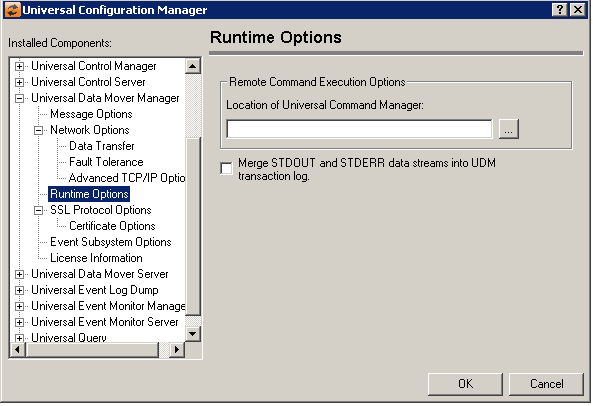
Universal Data Mover Manager: Runtime Options
Field | Description |
|---|---|
Remote Command Execution Options | Location of Universal Command Manager |
Merge STDOUT and STDERR data streams into UDM transaction log | Select this option to cause all information written to the STDOUT and STDERR data streams to be merged into the UDM transaction log. |
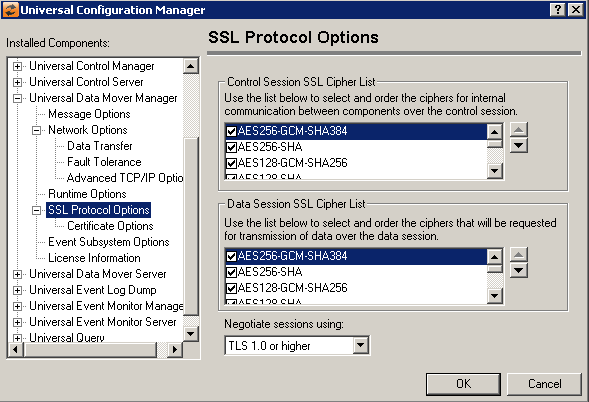
Universal Data Mover Manager: SSL/TLS Protocol Options
Field | Description |
|---|---|
Control Session SSL cipher List | Universal Data Mover uses the SSL/TLS protocol for internal communication between application components. A control session is established within the application that provides the connections necessary for this communication to take place. The SSL/TLS cipher suites available for communication across the control session are listed here. The selected cipher suites will be forwarded to the Universal Data Mover Server. The Server will compare this list to its own list of ciphers it is capable of accepting. The result of the comparison will be an agreed-upon cipher used for communication over the control session. If you are unsure which ciphers will be accepted by the Server, it is best to leave them all selected. Use the up/down arrows on the right to sort the list and establish a priority for the selected ciphers. The first one in the list that is accepted by the Server will be the one used. The following cipher suites are available:
To disable SSL/TLS encryption and message authentication for messages transmitted across the control session, select the NULL-NULL entry. Use of this cipher requires that the remote UDM Server's encrypt_control_session option be set to no. Otherwise, the UDM Server will issue a protocol error when the Manager tries to establish the control session with it. |
Data Session SSL Cipher List | Universal Data Mover uses the SSL/TLS protocol for transmission of data across the network. A data session is established within the application that provides the connections necessary for the transfer of data to take place. The SSL/TLS cipher suites available for communication across the data session are listed here. The selected cipher suites will be forwarded to the Universal Data Mover Server. The Server will compare this list to its own list of ciphers it is capable of accepting. The result of the comparison will be an agreed-upon cipher used for communication over the data session. If you are unsure which ciphers will be accepted by the Server, it is best to leave them all selected. Use the up/down arrows on the right to sort the list and establish a priority for the selected ciphers. The first one in the list that is accepted by the Server will be the one used.
|
Negotiate sessions using | (No help provided.) |
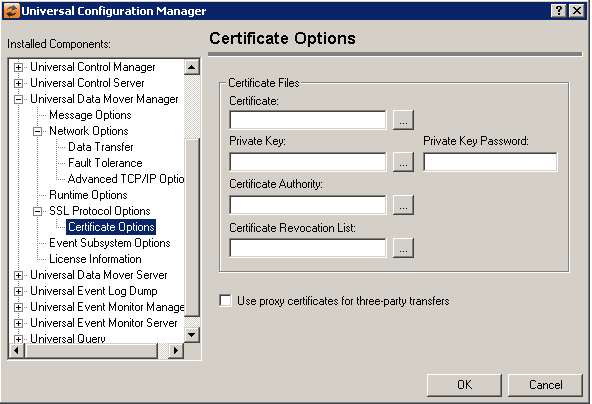
Universal Data Mover Manager: SSL/TLS Protocol Options - Certificate Options
Field | Description |
|---|---|
Certificate Files | Certificate Private Key Private Key Password Certificate Authority Certificate Revocation List |
Use proxy certificates for third-party transfers | Select this option to use proxy certificates to establish a three-party transfer session. This option is unchecked by default. |
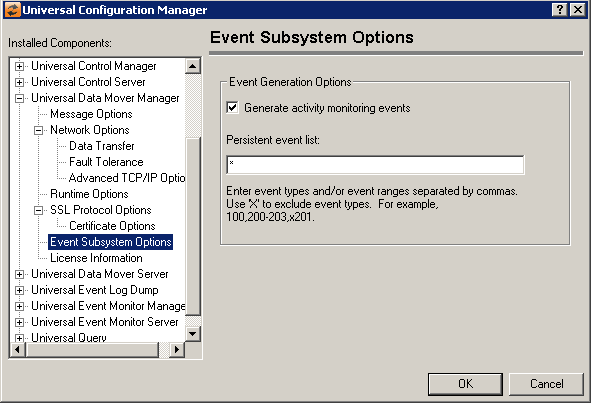
Universal Data Mover Manager: Event Subsystem Options
Field | Description |
|---|---|
Event Generation Options | Generate activity monitoring events Persistent event list Enter a list and/or range of numeric event types, separated by a comma. To exclude an event or range of events, precede the entry with an upper- or lower-case 'X'. Use an asterisk * to specify all event types. For example:
Entries are processed from left to right, and the list is order dependent. For example, an entry of x*,100 prevents generation of all event types except 100, while an entry of 100,x* prevents generation of all event types (the right-most entry takes precedence). |
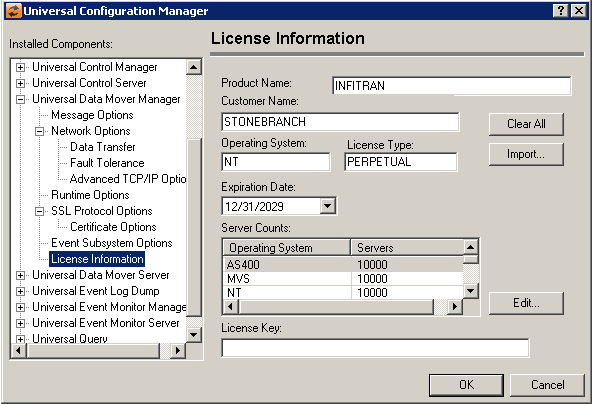
Universal Data Mover Manager: License Information
Field | Description |
|---|---|
Product Name | Specifies the name of the registered product for which the license key was issued. |
Customer Name | Contains the name under which the software is registered. This value must be entered exactly as the customer name specified in the licensing material you received with the software. |
Operating System | Identifies the operating system on which your licensed Universal Data Mover Manager will run. This value should be match the operating system specified in the licensing material you received with your software. |
License Type | Specifies the type of license issued for the current product. This value is used with the expiration date to determine the length of time the software license is valid. |
Expiration Date | Contains the date when the current license for this product will expire. The date entered must match the expiration date specified in the licensing material you received with the software. To change the date, enter a new value, or click the down arrow to display a calendar control. |
Server Counts | Contains the number of Universal Data Mover Servers you have licensed, by operating system. This values in this list should match the numbers specified in the licensing material you received with your software. |
License Key | Contains the license key that is generated for each product, customer, license type and expiration date. The value contained in this field must match the key specified in the licensing material you received with the software package. |
Clear All Button | (No help provided.) |
Edit Button | Displays a dialog from which the number of licensed servers for the selected operating system can be updated.
|
Import Button | Select this button to browse for and load the Universal Command Manager license file, which will automatically import the license information. |
