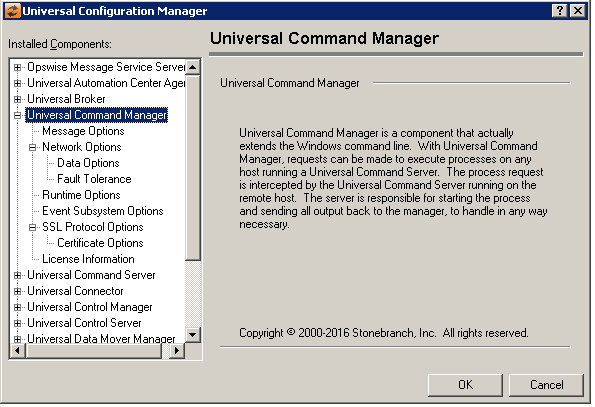
Universal Configuration Manager - Universal Command Manager
Universal Command Manager: Message Options
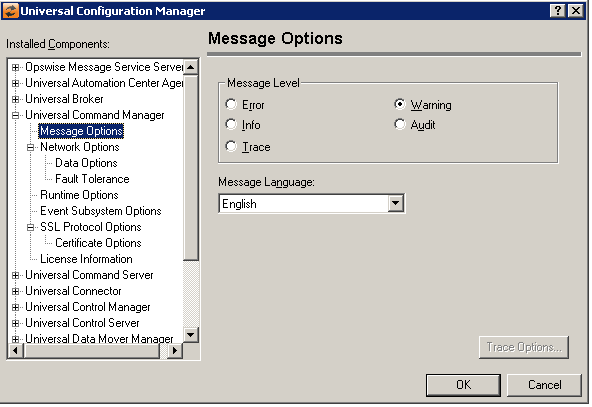
Field | Description |
|---|---|
Message Level | Error Warning Info Audit Trace |
Message Language | Specifies the language used to display error messages. |
Universal Command Manager: Network Options
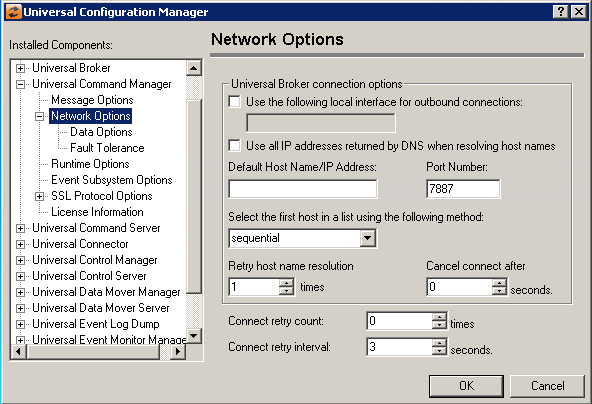
Field | Description | |
|---|---|---|
Universal Broker connection options | Use the following local interface for outbound connections Use all IP addresses returned by DNS when resolving hostnames Default Host Name/IP Address Port Number Select the first host in a list using the following method Retry host name resolution Cancel connect after | |
Connect retry count | This option specifies the number of times the UCMD Manager will try to establish a connection with a remote Broker. The Manager will continue to try each host in the list until it successfully connects to a remote Broker or until the number of connection attempts exceeds the value specified for this option. | t. |
Connect retry interval | This option specifies how long (in seconds) the UCMD Manager will wait before it retries an attempt to establish a connection with a remote Broker on a specified host. |
Universal Command Manager: Network Options - Data Options
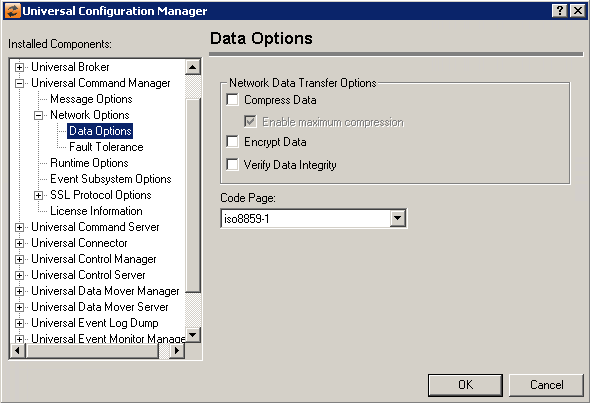
Field | Description |
|---|---|
Network Data Transfer Options | Compress Data Enable maximum compression Encrypt Data Verify Data Integrity |
Code Page | Sets the translation table used to translate text-based data transmitted across the network. |
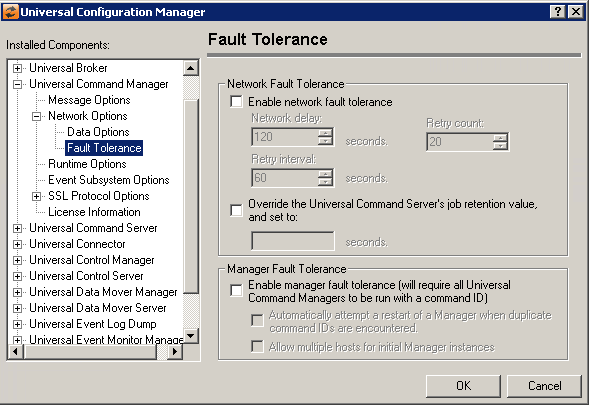
Universal Command Manager: Network Options - Fault Tolerance
Field | Description |
|---|---|
Network Fault Tolerance | Enable network fault tolerance Network Delay Retry Count Retry interval Override the Universal Command Server’s job retention value |
Manager Fault Tolerance | Enable Manager Fault Tolerance Automatically attempt a restart of a Manager when a duplicate command IDs are encountered Allow multiple hosts for initial Manager interfaces |
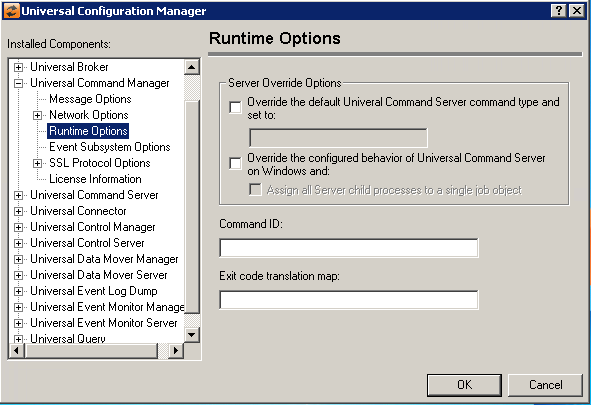
Universal Command Manager: Runtime Options
Field | Description |
|---|---|
Server Override Options | Override the default Universal Command Server command type and set to
If the default command type you wish to use is not shown in this, you may still enter it here. The value will not be validated until it is sent to the Universal Command Server. Override the configured behavior of the Universal Command Server on windows and: Assign all Server child processes to a single job object |
Command ID | The command ID helps associate a Universal Command Server component with the Universal Command Manager that started it. |
Exit code translation map | The exit_code_map option is used to translate the exit code issued by a user process (executed by UCMD Server) to a UCMD Manager exit code. The exit code map has the following format:
exitStatus: Range: exitCode:
If the exit code from a user process matches more than one entry in the list, the first matching entry is applied. |
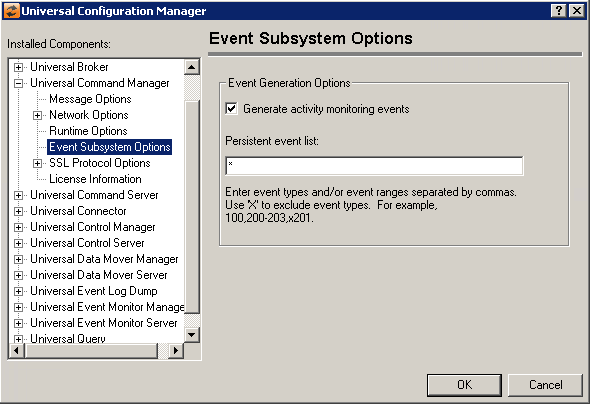
Universal Command Manager: Event Subsystem Options
Field | Description |
|---|---|
Event Generation Options | Generate activity monitoring events Persistent event list Enter a list and/or range of numeric event types, separated by a comma. To exclude an event or range of events, precede the entry with an upper- or lower-case 'X'. Use an asterisk (*) to specify all event types. For example:
Entries are processed from left to right, and the list is order dependent. For example, an entry of x*,100 prevents generation of all event types except 100, while an entry of 100,x* prevents generation of all event types (the right-most entry takes precedence). |
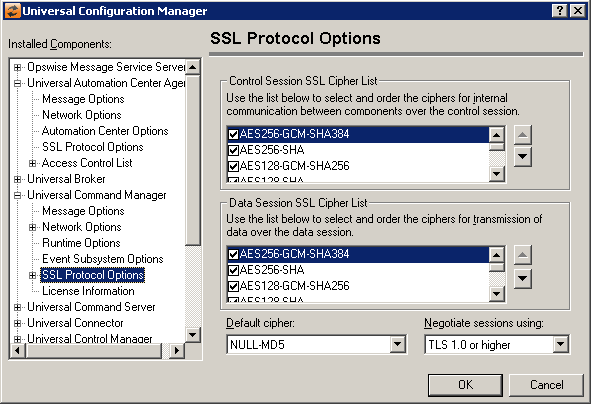
Universal Command Manager: SSL/TLS Protocol Options
Field | Description |
|---|---|
Control Session SSL Cipher List | The Control Cipher List specifies one or more acceptable cipher suites to use for network communication. The list consists of one or more cipher suites ordered with the most preferred suite first and the least preferred suite last. |
Data Session SSL Cipher List | The data ssl cipher specifies the cipher suites for the standar I/O connections between the UCMD components when encryption is specified. |
Default cipher | (No help provided.) |
Negotiate sessions using | (No help provided.) |
Universal Command Manager: SSL Protocol Options - Certificate Options
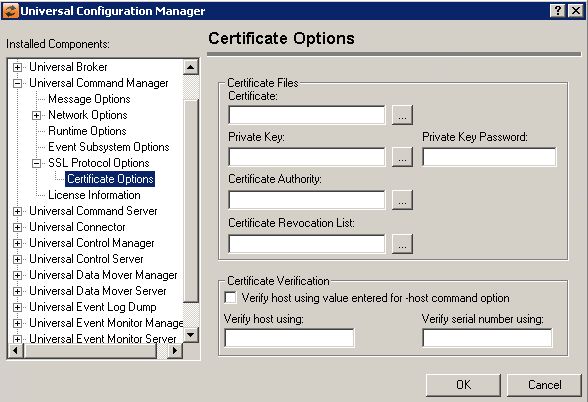
Field | Description |
|---|---|
Certificate Files | Certificate Private Key Private Key Password Certificate Authority Certificate Revocation List |
Certificate Verification | Verify host using value entered for -host command option Verify host using Verify serial number using |
Universal Command Manager: License Information
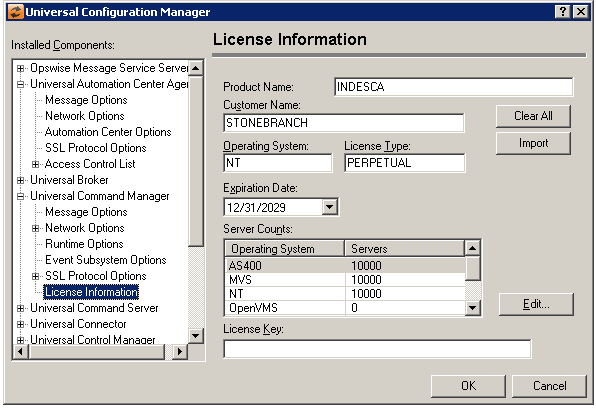
Field | Description |
|---|---|
Product Name | Specifies the name of the registered product for which the license key was issued. |
Customer Name | Contains the name under which the software is registered. This value must be entered exactly as the customer name specified in the licensing material you received with the software. |
Operating System | Identifies the operating system on which your licensed Universal Command Manager will run. This value should match the operating system specified in the licensing material you received with your software. |
License Type | Specifies the type of license issued for the current product. This value is used with the expiration date to determine the length of time the software license is valid. |
Expiration Date | Contains the date when the current license for this product will expire. The date entered must match the expiration date specified in the licensing material you received with the software. To change the date, enter a new value, or click the down arrow to display a calendar control. |
Server Counts | Contains the number of Universal Command Servers you have licensed, by operating system. This values in this list should match the numbers specified in the licensing material you received with your software. |
License Key | Contains the license key that is generated for each product, customer, license type and expiration date. The value contained in this field must match the key specified in the licensing material you received with the software package. |
Clear All Button | (No help provided.) |
Edit Button | Displays a dialog from which the number of licensed servers for the selected operating system can be updated. |
Import Button | Select this button to browse for and load the Universal Command Manager license file, which will automatically import the license information. |