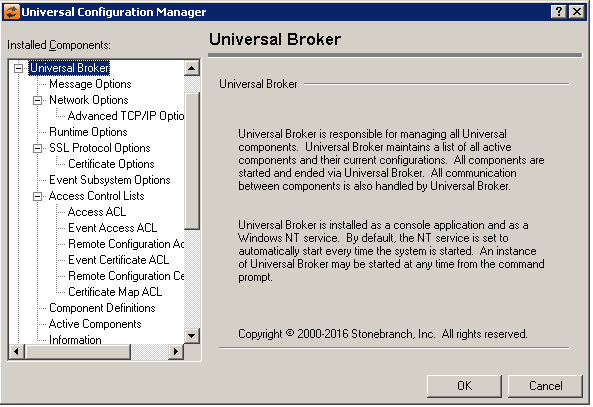
Universal Configuration Manager - Universal Broker
Universal Broker: Message Options
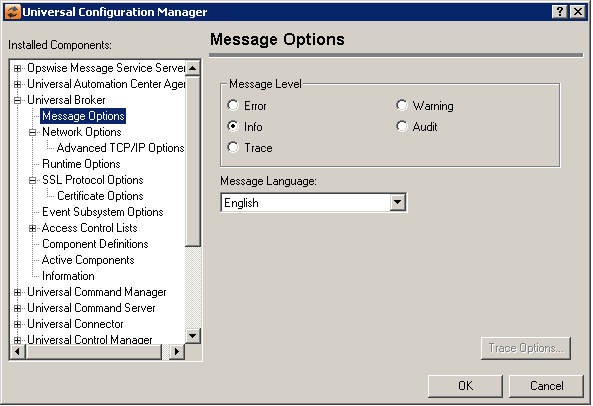
Field | Description |
|---|---|
Message Level | Error Warning Info Audit Trace |
Message Language | Specifies the language used to display error messages. |
Universal Broker: Network Options
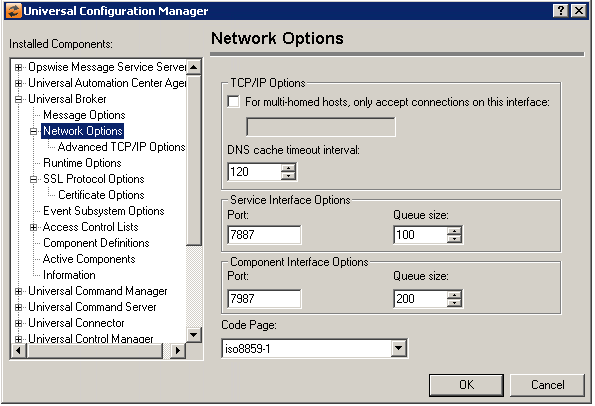
Field | Description |
|---|---|
TCP/IP Options | Multi-homed configuration DNS cache timeout |
Service Interface Options | Port Queue size |
Component Interface Options | Port Queue size |
Code Page | Sets the translation table used to translate text-based data transmitted across the network. |
Universal Broker: Network Options - Advanced TCP/IP Options
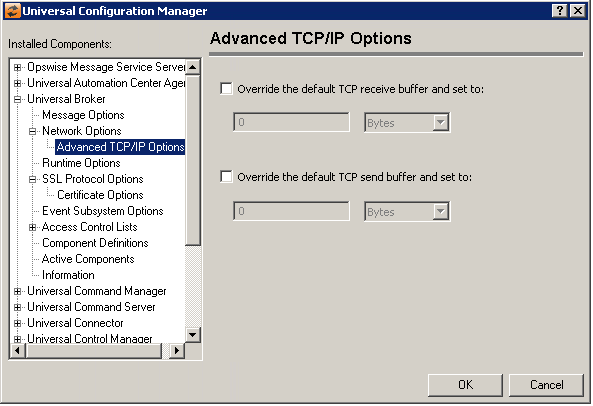
Field | Description |
|---|---|
Override the default TCP/IP receive buffer and set to: | (No help provided.) |
Override the default TCP/IP receive buffer and set to: | (No help provided.) |
Universal Broker: Runtime Options
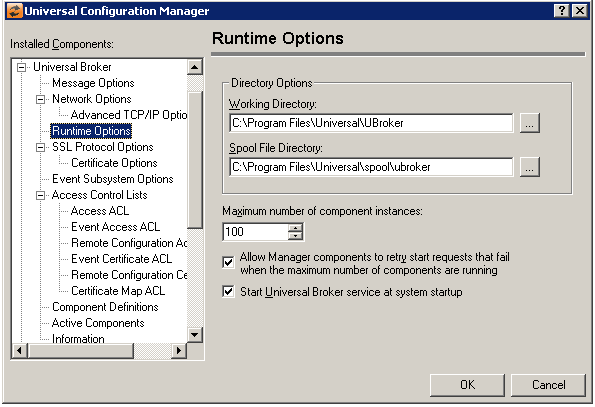
Field | Description |
|---|---|
Directory Options | Working Directory Spool File Directory Start Universal Broker Service at system startup |
Max Number of Component Instances | Specifies the maximum number of Universal component instances that can be run at the same time. |
Allow Manager components to retry start requests that fail win the max number of components are running. | (No help provided.) |
Start Universal Broker Service at System Startup | Instructs the Universal Broker NT service to start when the system starts. |
Universal Broker: SSL/TLS Protocol Options
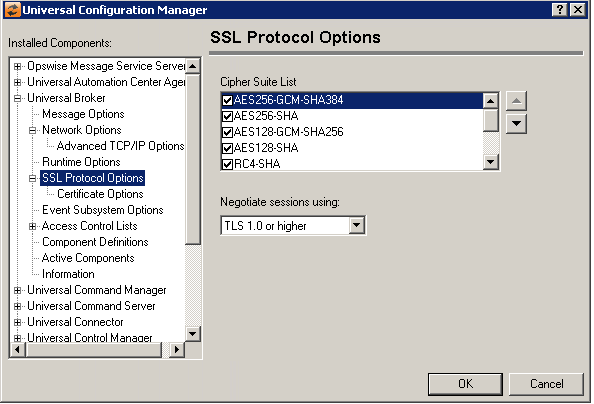
Field | Description |
|---|---|
Cipher Suite List | The cipher suite specifies the symmetric and message digest algorithms used for a session. The cipher suite is negotiated as part of the SSL/TLS handshake. If one of the cipher suites in the list cannot be agreed upon, the SSL/TLS handshake will fail, and the connection will be closed. |
Negotiate Sessions using | (No help provided.) |
Universal Broker: SSL/TLS Protocol Options - Certificate Options
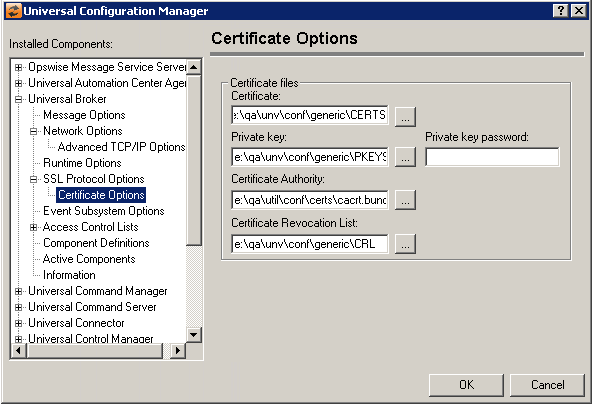
Field | Description |
|---|---|
Certificate Files | Certificate Private Key Private Key Password Certificate Authority Certificate Revocation List |
Universal Broker: Event Subsystem Options
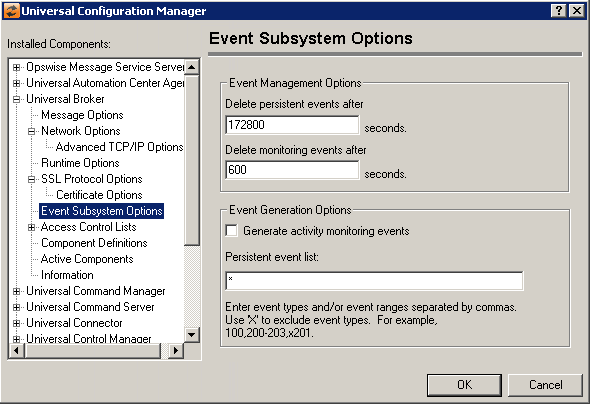
Field | Description |
|---|---|
Event Management Options | Delete Persistent events after The default value for this option is 172800 seconds, which is equivalent to 2 days. Delete Monitoring events after The default value for this option is 600 seconds. |
Event Generation Options | Generate Activity monitoring events Persistent event list For example:
Entries are processed from left to right, and the list is order dependent. For example, an entry of x*,100 prevents generation of all event types except 100, while an entry of 100,x* prevents generation of all event types (the right-most entry takes precedence). |
Universal Broker: Access Control Lists
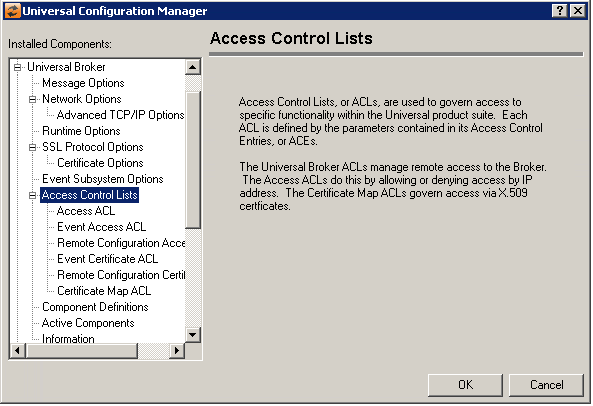
Universal Broker: Access Control Lists - Access ACL
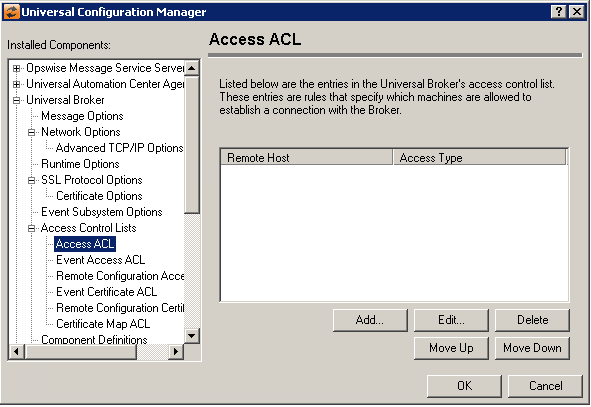
Field | Description |
|---|---|
Access Control List | Displays the entries contained in the Universal Broker Access Control List (ACL). This list is used to grant or deny access to Universal Broker based on the remote system's IP address. The order in which ACL entries are evaluated and applied are based on their position in this list. Use the Move Up and Move Down buttons to change an entry's priority. |
Add Button | Displays a dialog box that allows an entry to be added to the Access Control List. The fields in this dialog are populated with default values.
Remote Host Name/IP Address Access Type |
Edit Button | Displays a dialog that allows the selected Access Control List entry to be modified.
Remote Host Name/IP Address Access Type |
Delete Button | Removes the selected item from the Access Control List. |
Move Up Button | Moves the selected item up one position in the list. |
Move Down Button | Moves the selected item down one position in the list. |


Universal Broker: Access Control Lists - Event Access ACL
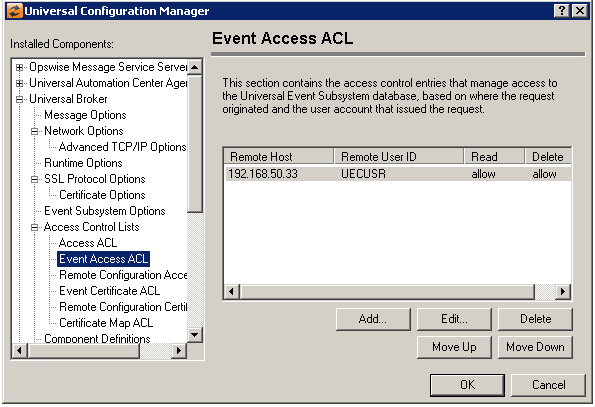
Field | Description |
|---|---|
Event Access ACL | Event Access ACL List Box The order in which ACL entries are evaluated and applied are based on their position in this list. Use the Move Up and Move Down buttons to change an entry's priority. |
Add Button | Displays a dialog box that allows an entry to be added to the Access Control List. The fields in this dialog are populated with default values.
Remove Host Name/IP Address Remote User ID Universal Event Subsystem Access |
Edit Button | Displays a dialog that allows the selected Access Control List entry to be modified.
Remove Host Name/IP Address Remote User ID Universal Event Subsystem Access |
Delete Button | Removes the selected item from the Access Control List. |
Move Up Button | Moves the selected item up one position in the list. |
Move Down Button | Moves the selected item down one position in the list. |


Universal Broker: Access Control Lists - Remote Configuration Access ACL
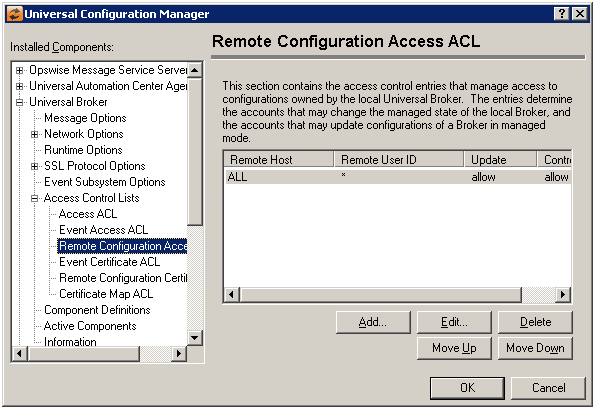
Field | Description |
|---|---|
Remote Configuration Access ACL | Remote Configuration Access ACL List Box The order in which ACL entries are evaluated and applied are based on their position in this list. Use the Move Up and Move Down buttons to change an entry's priority. |
Add Button | Displays a dialog box that allows an entry to be added to the Access Control List. The fields in this dialog are populated with default values.
Remote HostName/IP Address Remote User ID Universal Broker Configuration Access |
Edit Button | Displays a dialog that allows the selected Access Control List entry to be modified.
Certificate ID Universal Broker Config Access |
Delete Button | Removes the selected item from the Access Control List. |
Move Up Button | Moves the selected item up one position in the list. |
Move Down Button | Moves the selected item down one position in the list. |


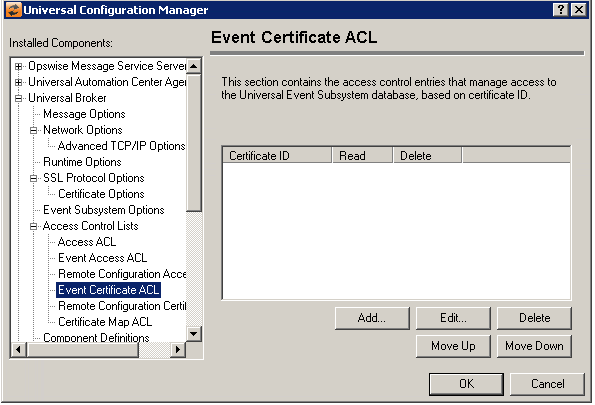
Universal Broker: Access Control Lists - Event Certificate ACL
Field | Description |
|---|---|
Event Certificate ACL | Event Certificate ACL List Box The order in which ACL entries are evaluated and applied are based on their position in this list. Use the Move Up and Move Down buttons to change an entry's priority. |
Add Button | Displays a dialog box that allows an entry to be added to the Access Control List. The fields in this dialog are populated with default values.
Certificate ID Universal Event Subsystem Access |
Edit Button | Displays a dialog that allows the selected Access Control List entry to be modified.
Certificate ID Universal Event Subsystem Access |
Delete Button | Removes the selected item from the Access Control List. |
Move Up Button | Moves the selected item up one position in the list. |
Move Down Button | Moves the selected item down one position in the list. |


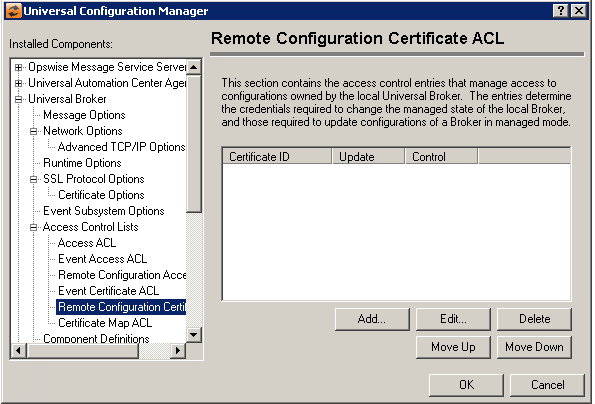
Universal Broker: Access Control Lists - Remote Configuration Certificate ACL
Field | Description |
|---|---|
Remote Configuration Certificate ACL | Remote Configuration Certificate ACL List Box The order in which ACL entries are evaluated and applied are based on their position in this list. Use the Move Up and Move Down buttons to change an entry's priority. |
Add Button | Displays a dialog box that allows an entry to be added to the Access Control List. The fields in this dialog are populated with default values.
Certificate ID Universal Broker Configuration Access |
Edit Button | Displays a dialog that allows the selected Access Control List entry to be modified.
Certificate ID Universal Broker Configuration Access |
Delete Button | Removes the selected item from the Access Control List. |
Move Up Button | Moves the selected item up one position in the list. |
Move Down Button | Moves the selected item down one position in the list. |


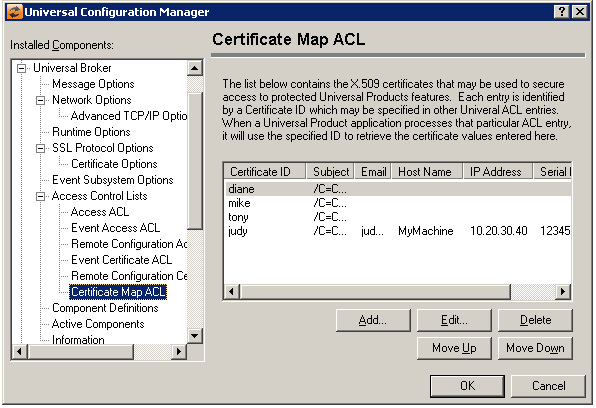
Universal Broker: Access Control Lists - Certificate Map ACL
Field | Description |
|---|---|
Certificate Map ACL List Box | Displays the entries contained in the X.509 certificate mapping. The order in which entries are evaluated and applied are based on their position in this list. Use the Move Up and Move Down buttons to change an entry's priority. |
Add Button | Displays a dialog box that allows an entry to be added to the Access Control List. The fields in this dialog are populated with default values.
Certificate ID Subject Some of the more common RDN values that may be used in a DN include:
The following are examples of Distinguished Names:
E-Mail Address Host Name IP Address Serial Number |
Edit Button | Displays a dialog that allows the selected Access Control List entry to be modified.
Certificate ID Subject Some of the more common RDN values that may be used in a DN include:
The following are examples of Distinguished Names:
E-Mail Address Host Name IP Address Serial Number |
Delete Button | Removes the selected item from the Access Control List. |
Move Up Button | Moves the selected item up one position in the list. |
Move Down Button | Moves the selected item down one position in the list. |

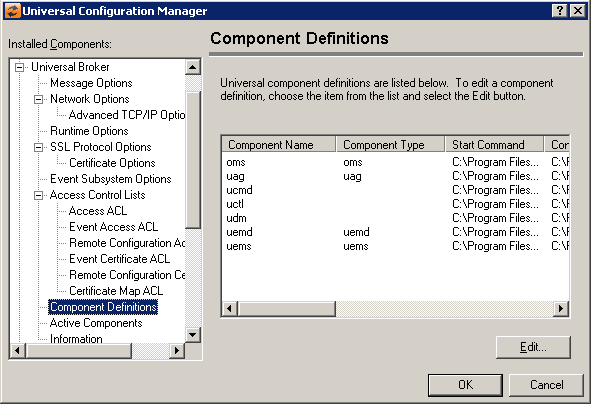
Universal Broker: Component Definitions
Field | Description |
|---|---|
Universal Component Definitions List | Contains a list of definitions used by Universal Broker to manage Universal components. |
Edit Button | Displays a dialog box that is used to modify an existing component definition.
Start Command Configuration File Working Directory Maximum number of component instances |

Universal Broker: Active Components
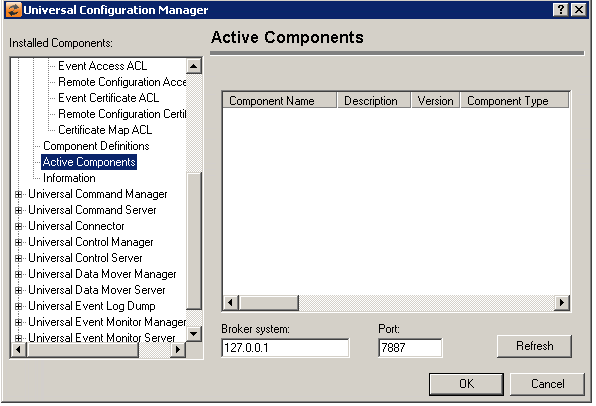
Field | Description |
|---|---|
Active Components List | Contains a list of components that are currently running. |
Broker System | Address of the Broker to query. |
Port | Port the Broker being queried is listening on. |
Refresh Button | Updates the list of active components. |
Universal Broker: Information
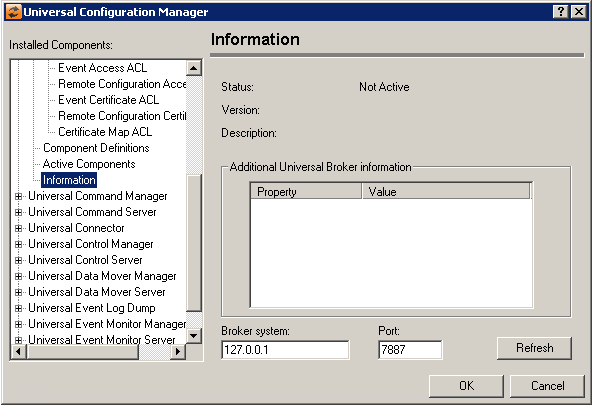
Field | Description |
|---|---|
Status | Universal Broker status. |
Version | Universal Broker version. |
Description | Universal Broker description. |
Additional Universal Broker Information | Displays properties of Universal Broker. |
Broker System | Address of the Broker to query. |
Port | Port the Broker being queried is listening on. |
Refresh Button | Updates the broker information. |