Use Cases and Best Practices
This page provides guidance on getting the most out of Robi AI, including typical use cases and recommendations for effective prompting.
How Robi AI Works
It is important to understand some basics about how Robi AI works to make effective prompts, while using tokens as efficiently as possible.
Robi takes several prompts into account when answering the user. Besides the user's prompt, Robi has a system prompt which describes its basic purpose (i.e. Robi knows it is meant to assist with using UAC). This means Robi may refuse to answer a question it considers irrelevant, such as "Tell me about the stock market."
Robi classifies each user prompt to determine how to respond, choosing the appropriate tools for the request. For a full explanation of how this classification works and what modes are available, see Modes. Using clear, precise wording in your prompts helps Robi choose the right mode for the request.
AI can make mistakes. Always verify important information, especially before confirming destructive operations.
Use Cases
Robi AI can dynamically respond to prompts given in natural language, and it has the flexibility to perform many kinds of actions in the Controller, such as:
- Viewing and updating records
- Launching tasks
- Creating tasks
- Building workflows
- Answering questions about UAC
- Analyzing failed tasks and workflows
Although this list does not represent the full scope of Robi's capabilities, we recommend not straying too far from the general purpose of Robi AI, to ensure you get helpful responses and use tokens efficiently.
That being said, we encourage you to see for yourself what Robi AI is capable of. The use cases in this doc are meant to demonstrate typical scenarios that Robi is well equipped to handle, rather than serve as a finite list of functions. Let the following examples serve as inspiration for how you might use Robi in your Controller.
Example 1: Launch a task
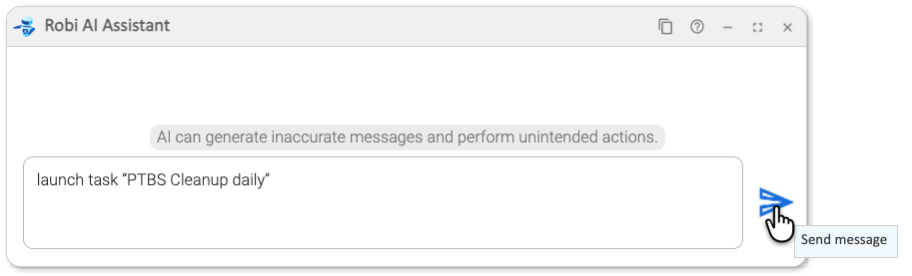
First, we ask Robi AI Asisstant to launch a task called "PTBS Cleanup Daily".
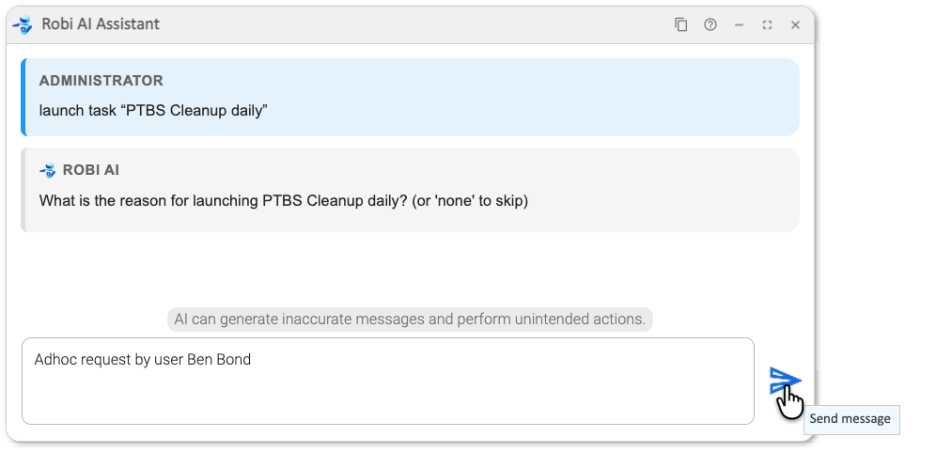
Robi then prompts us for the reason. This is stored in the notes tab for auditing purposes.
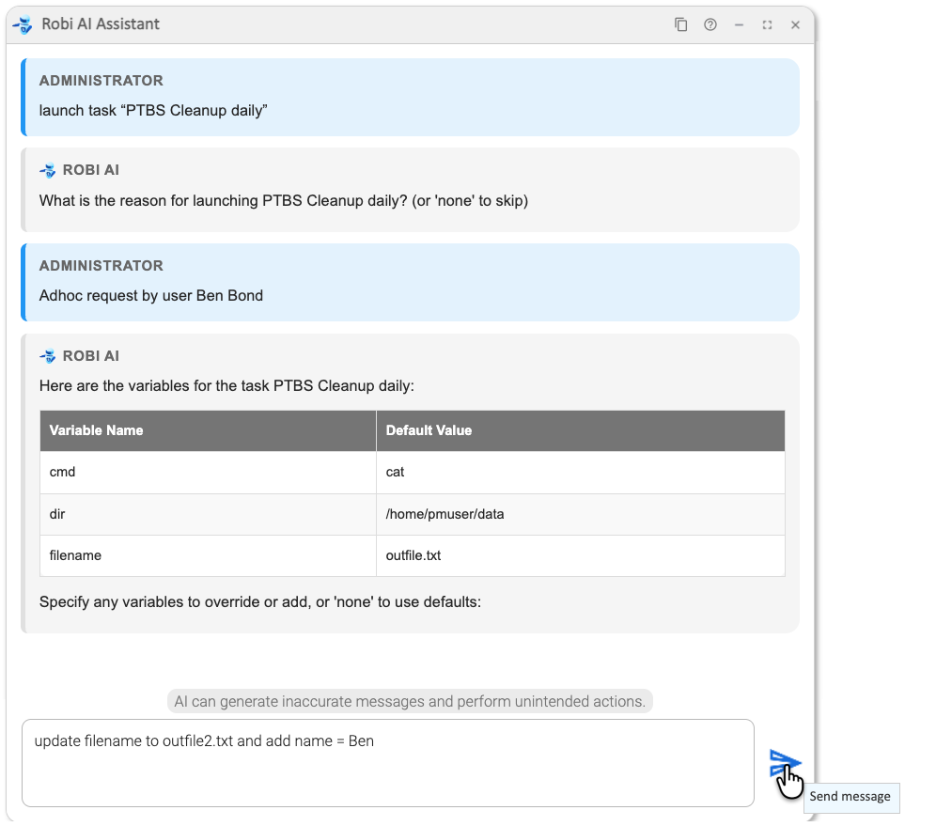
Robi identifies any variables that exist in the task definition and asks if we would like to override any.
Using natural language, we can override the filename and add a new variable: name.
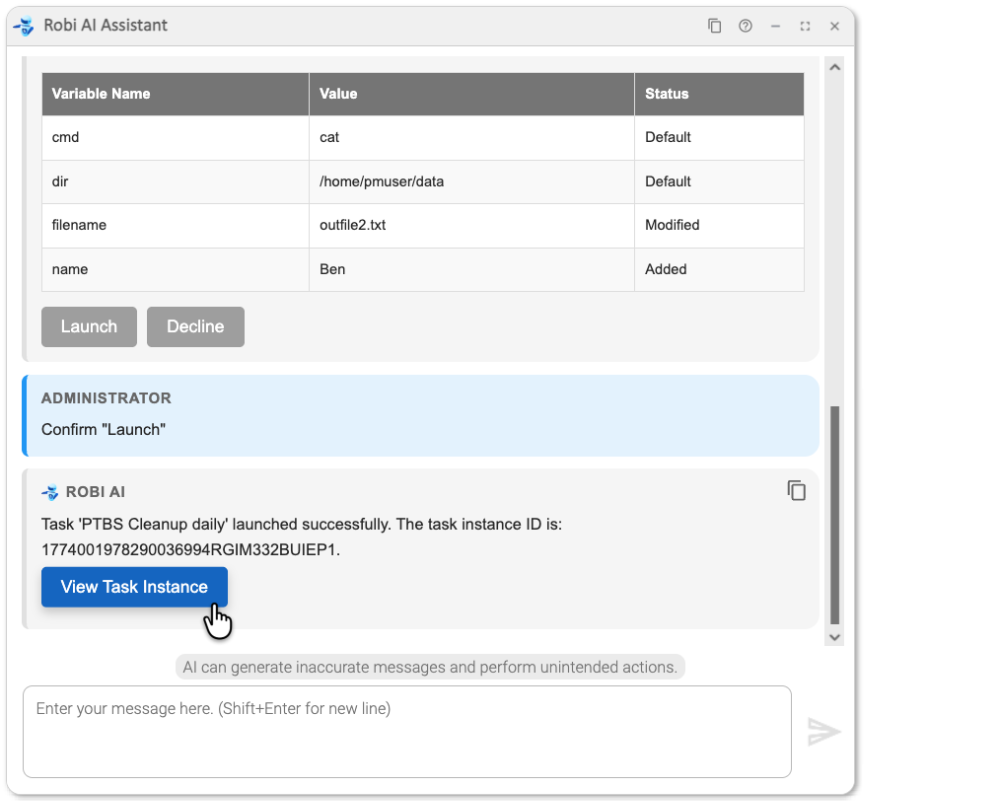
Robi AI displays the variables that will be used and asks if we would like to Launch the task or Decline.
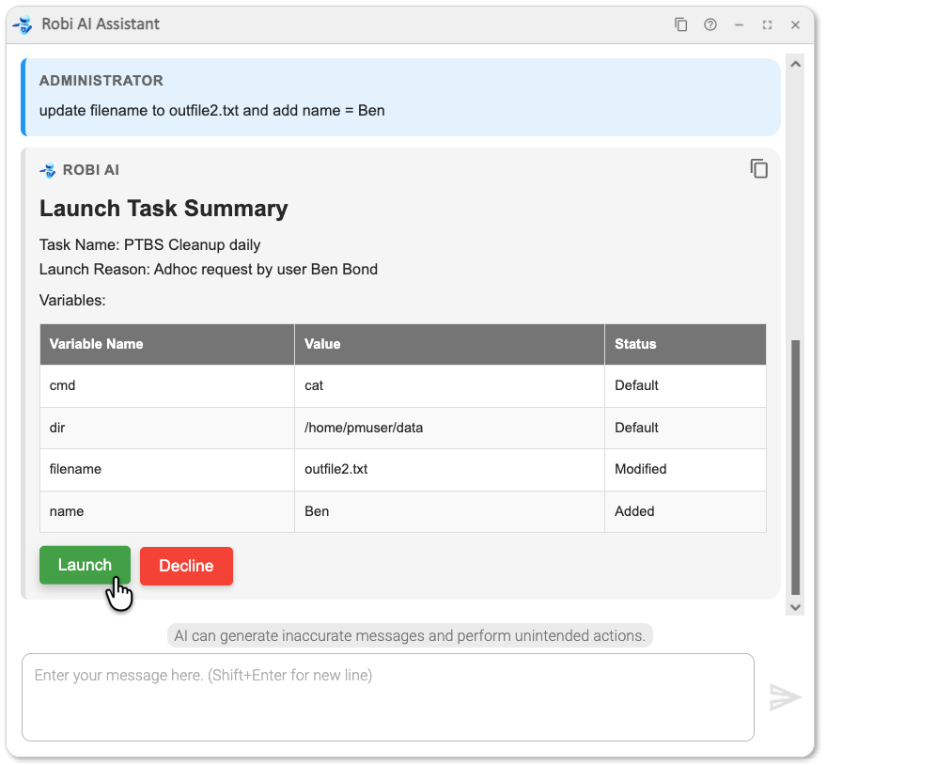
We launch the task, and we can now go directly to the task instance in the UI.
Example 2: Query status
Query a single task
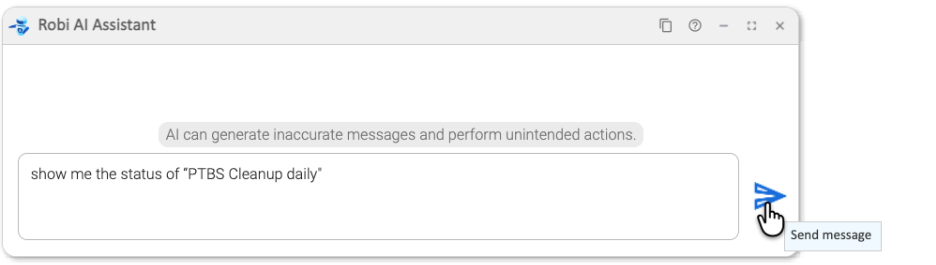
We want to see the status of the task we just launched, "PTBS Cleanup daily".
Robi shows all instances of this task in a table:
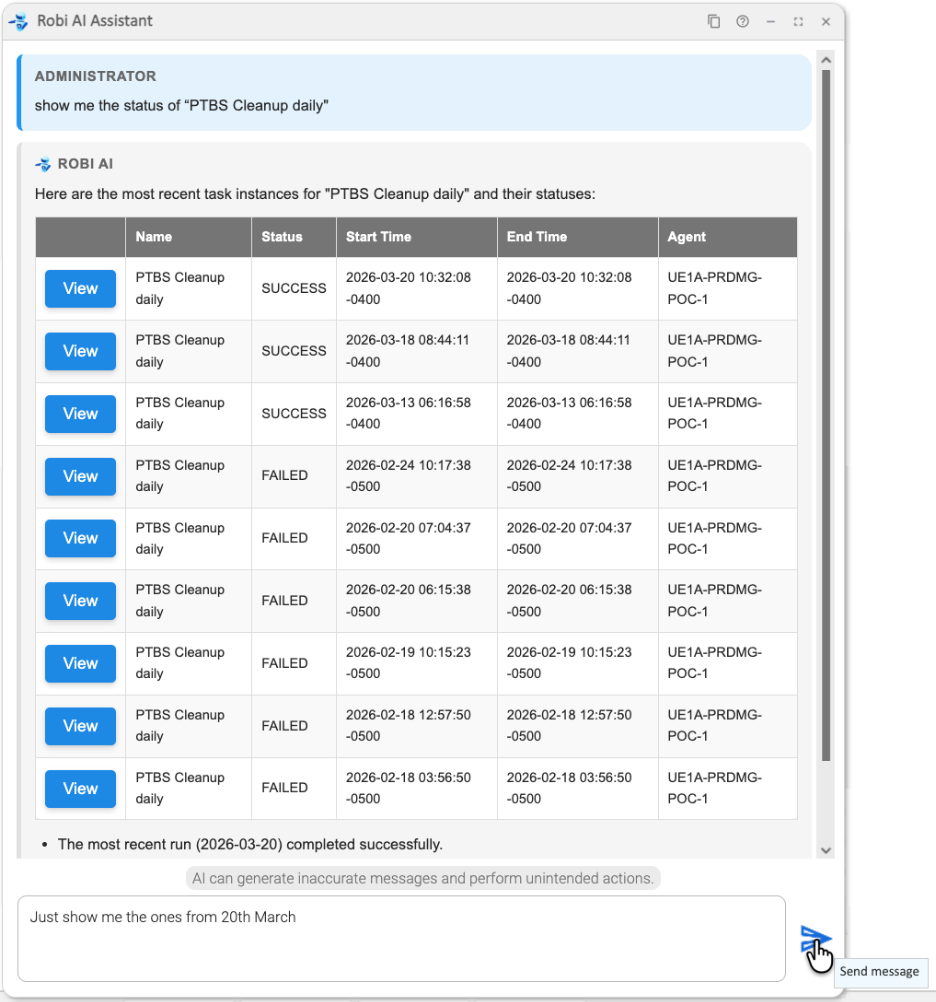
Let's say we want to narrow down the list to some particular date.
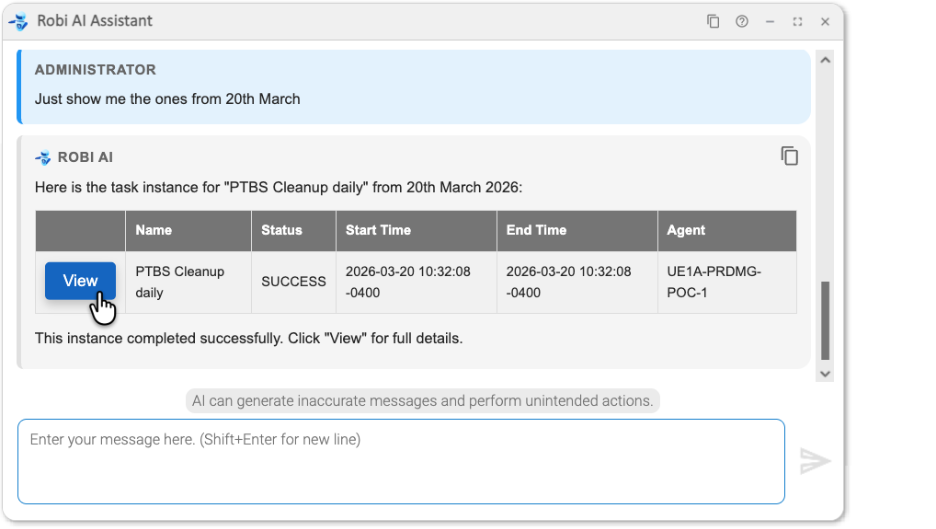
Robi filters the list to only show instances that meet our criteria.
Query for multiple tasks
We want to find out the status of multiple tasks that match some criteria, like "all tasks with a prefix of 'EOD' in a problem state."
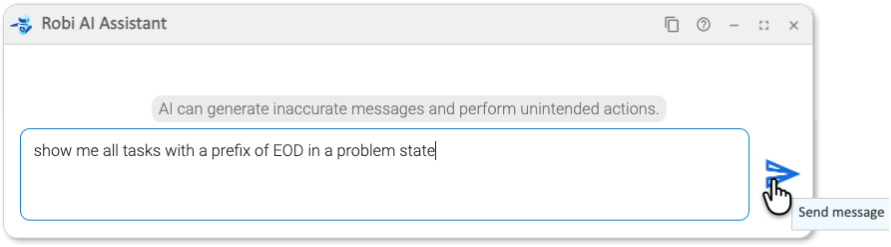
Robi AI knows what "problem state" means, so it finds all task instances that were not successful.
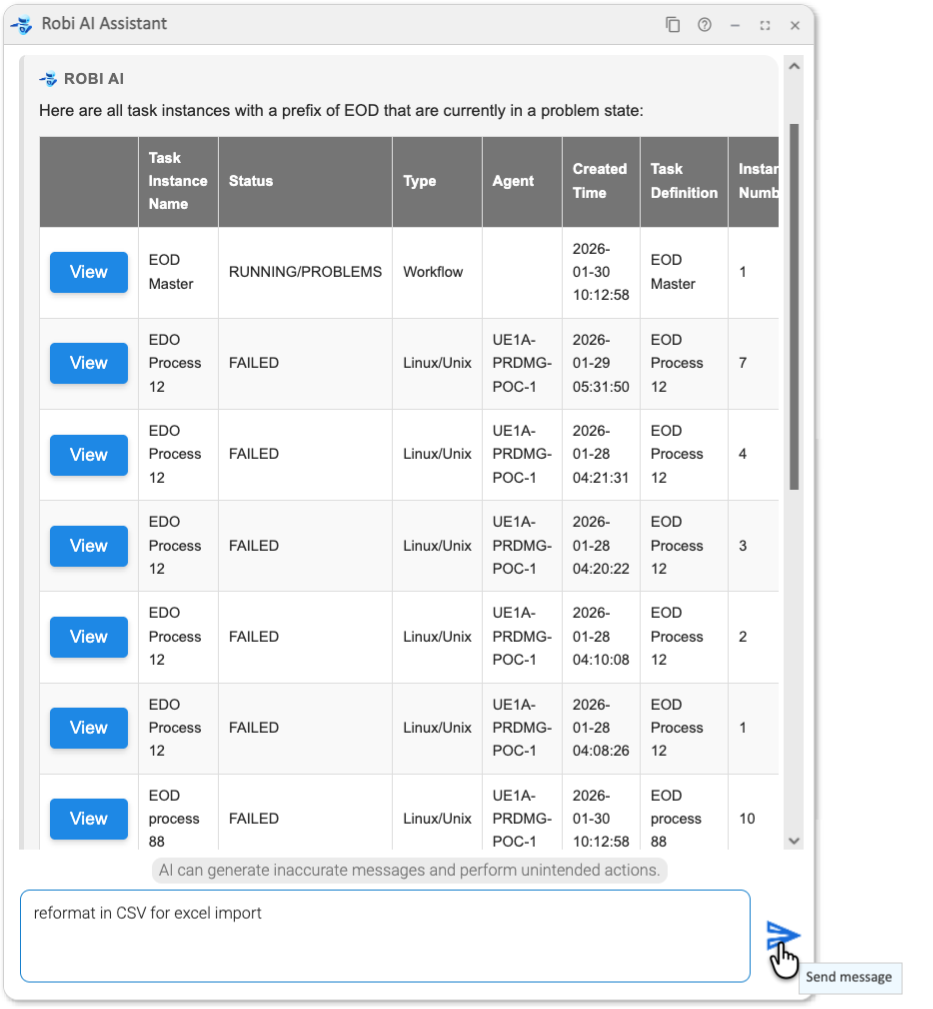
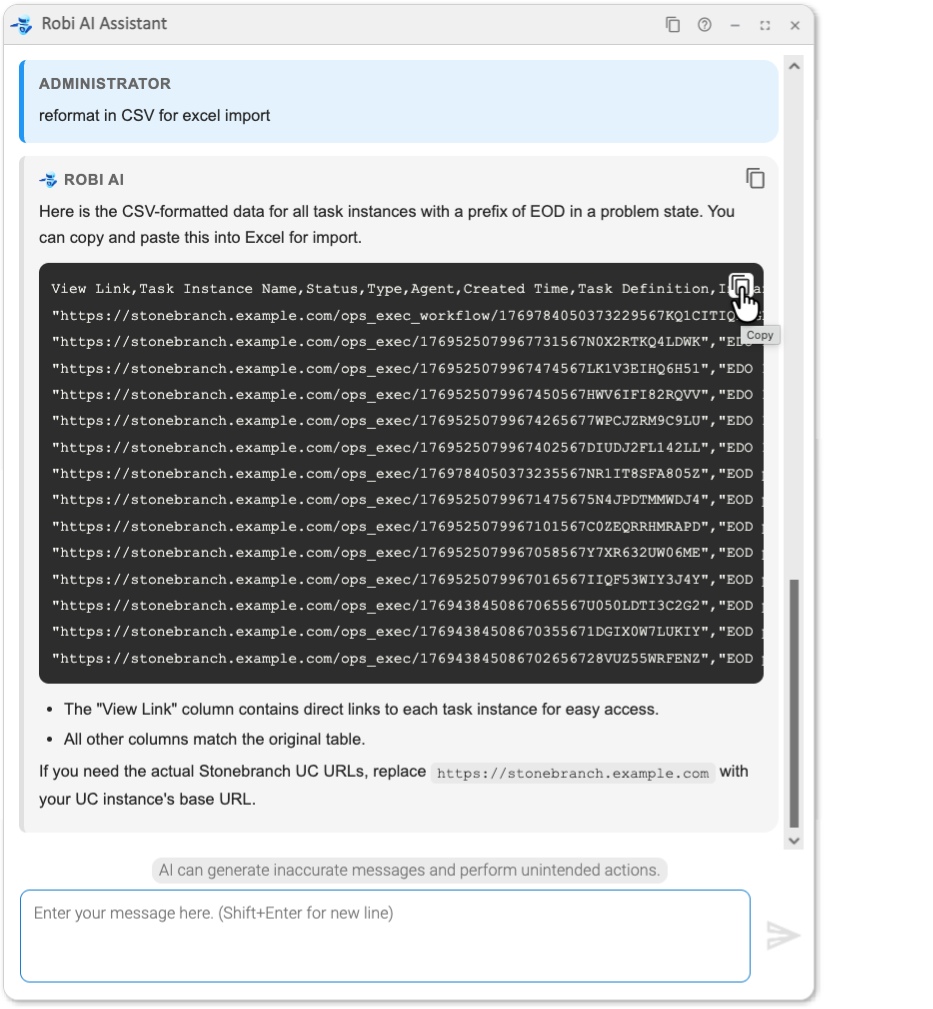
For any response, we can ask Robi AI to "show in a code block" to get a format with a Copy button. Or, if we have a specific data format in mind, we can ask Robi AI to reformat the response.
For example, let's ask for a CSV file. Robi gives the data in CSV format and provides a "Copy" button.
Example 3: Asking Robi AI for help
Asking about functions
We want to find out how to offset the date using a function.
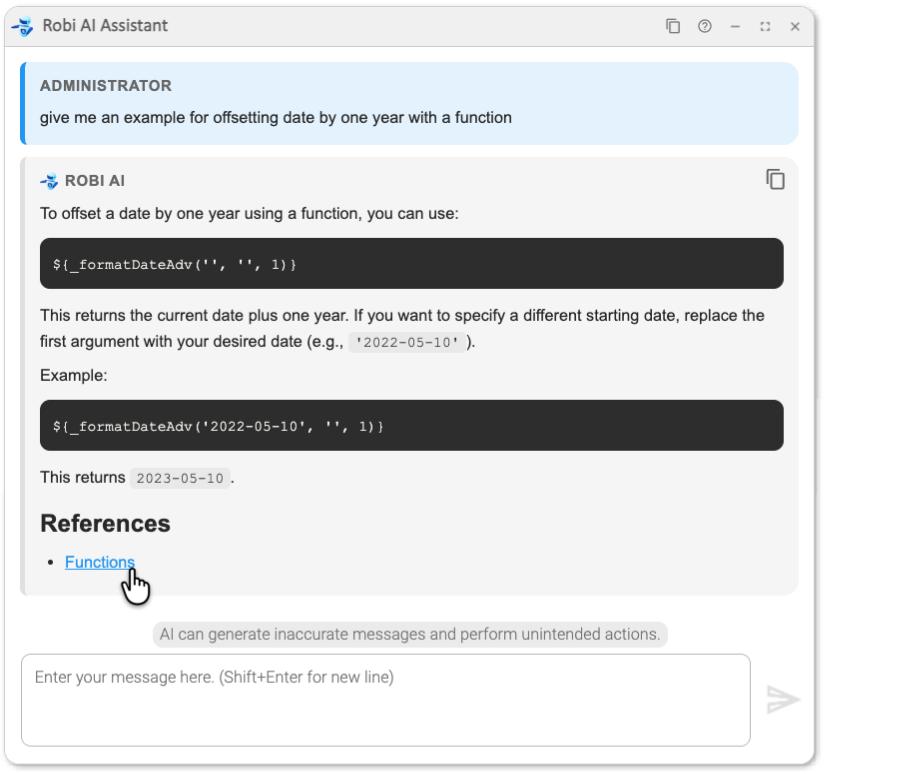
Robi shows us how to use the function we need. Robi draws on product knowledge from the docs (with a link to the References), while using our prompt to give specific details matching our requirements.
Asking about scripts
We want to learn about the different kinds of scripts:
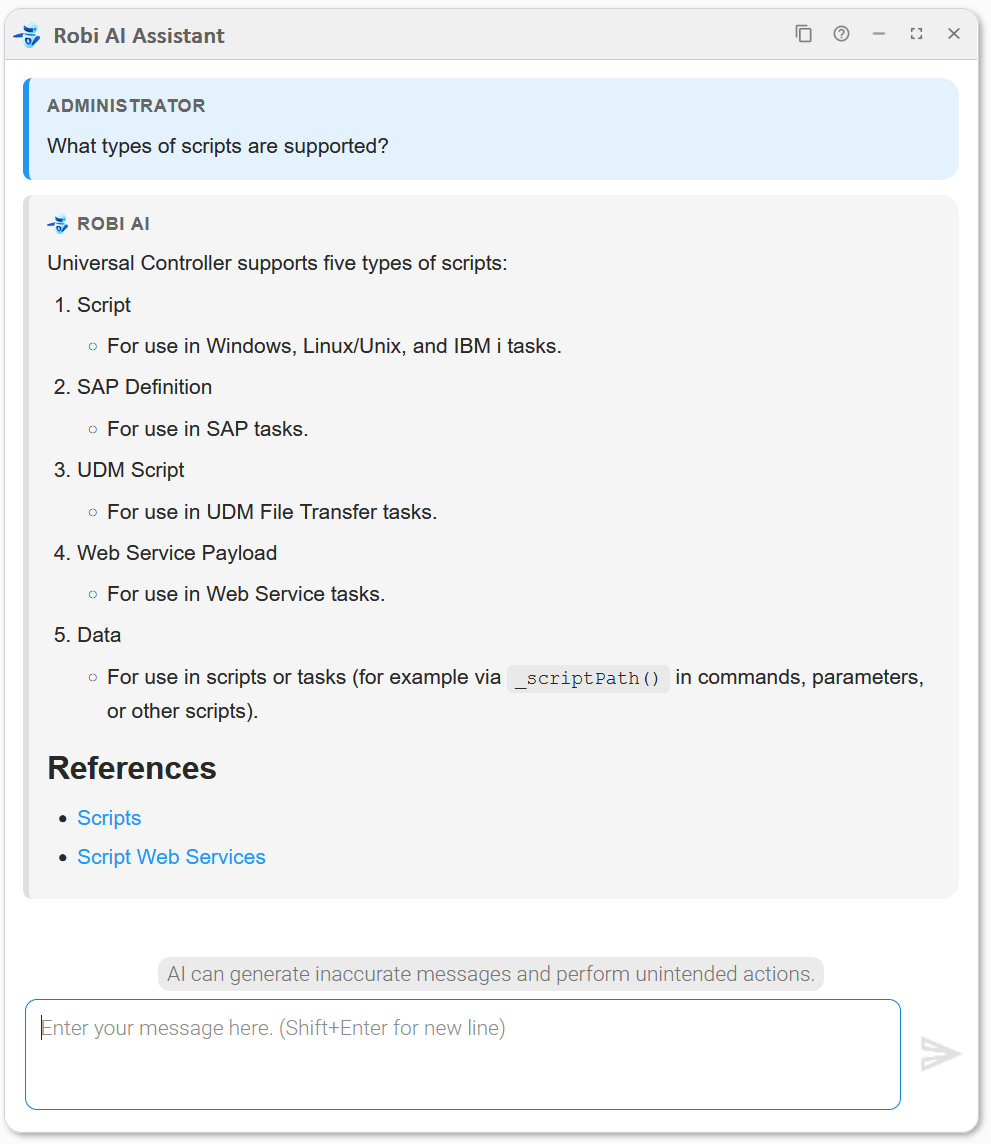
Robi explains each type and where they can be used, based on what it found in the docs.
Typical help desk questions
We want Robi AI to help us to create some custom days for a calendar, such as a specific set of holidays.
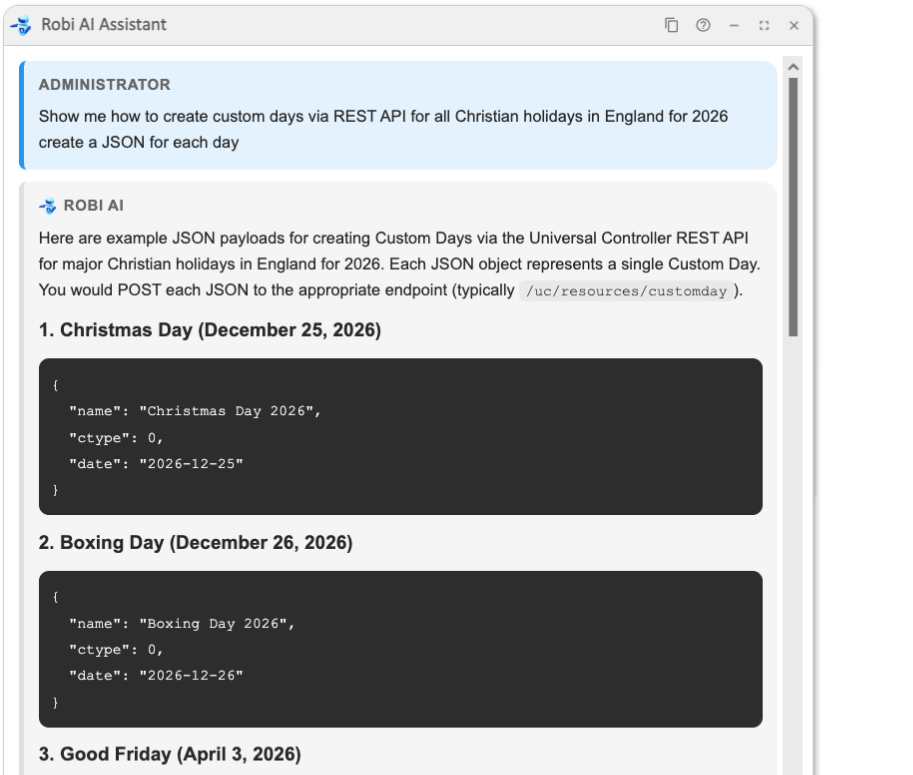
The prompt starts with "Show me", so Robi knows we are asking for help. Robi gives us JSON for each custom day, as requested. It also gives an example of the REST API call we need to use to add them.
Example 4: Root Cause Analysis
Analyze a single task instance
We want Robi AI to analyze the issue for a failed task.
Let's say our task, "IPS ADV Prep Inv", has failed. We right-click the failed task instance and select the Analyze Now... option, which opens the AI Analyze window.
Robi identifies the issue.
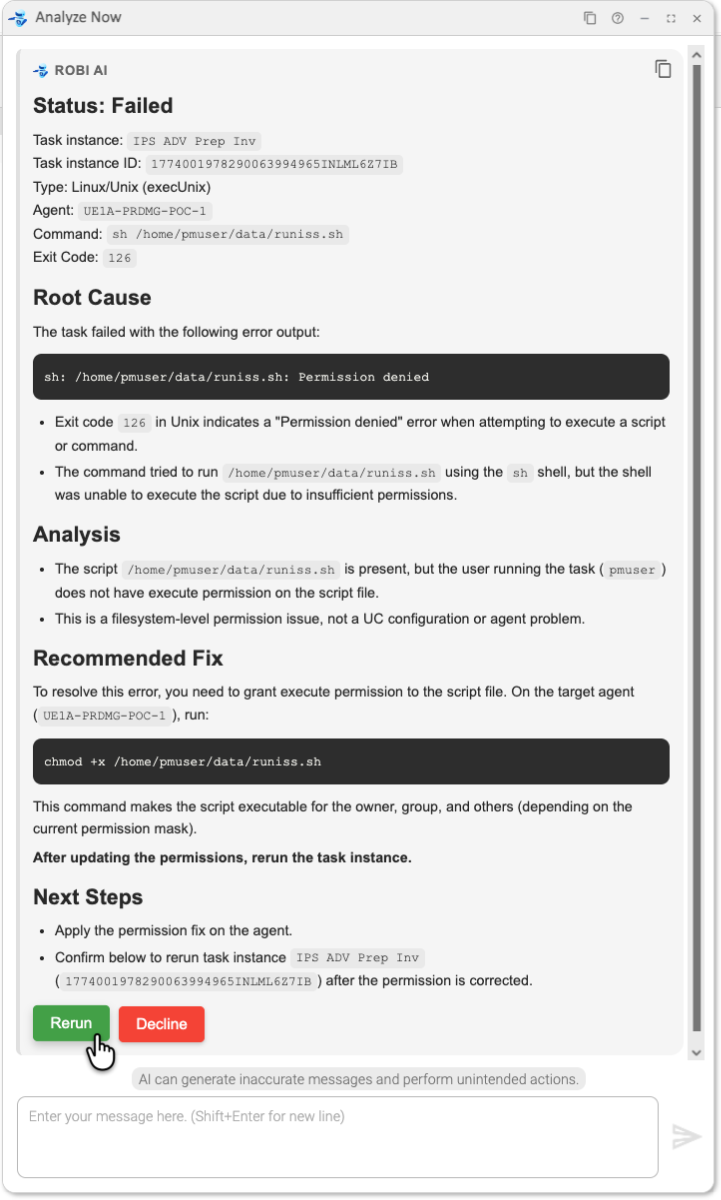
Robi has identified a permission problem, which needs to be fixed by an OS administrator. It then shows us the OS command we need to resolve it, and offers to rerun the task for us once we have fixed the problem.
Analyze a failed workflow
We want Robi AI to analyze the issue for a failed workflow.
Let's say our Workflow, "IPS Invoice Process WF", has failed. We right-click the failed workflow instance and select the Analyze Now... option, which opens the AI Analyze window.
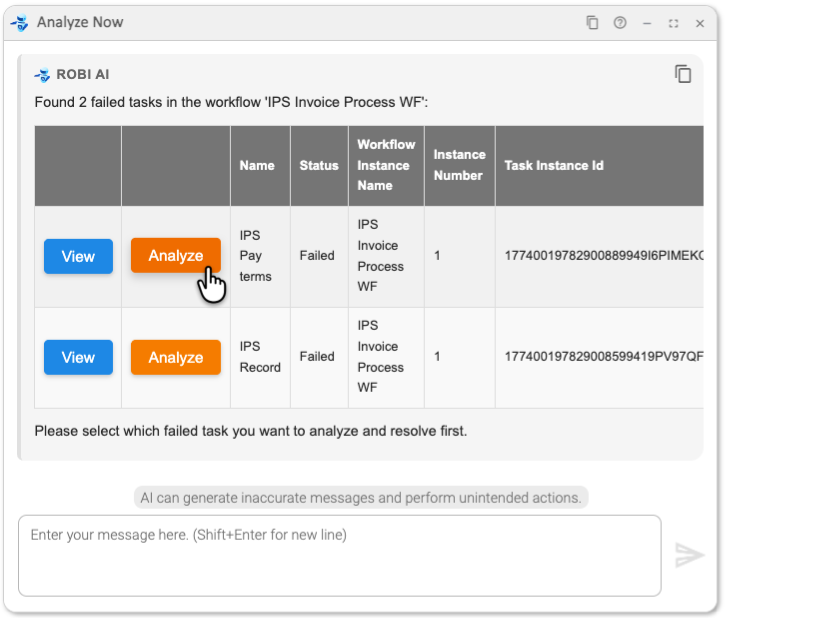
In this case, two tasks have failed in this workflow. Robi displays them both in a table, where we can analyze each instance individually.
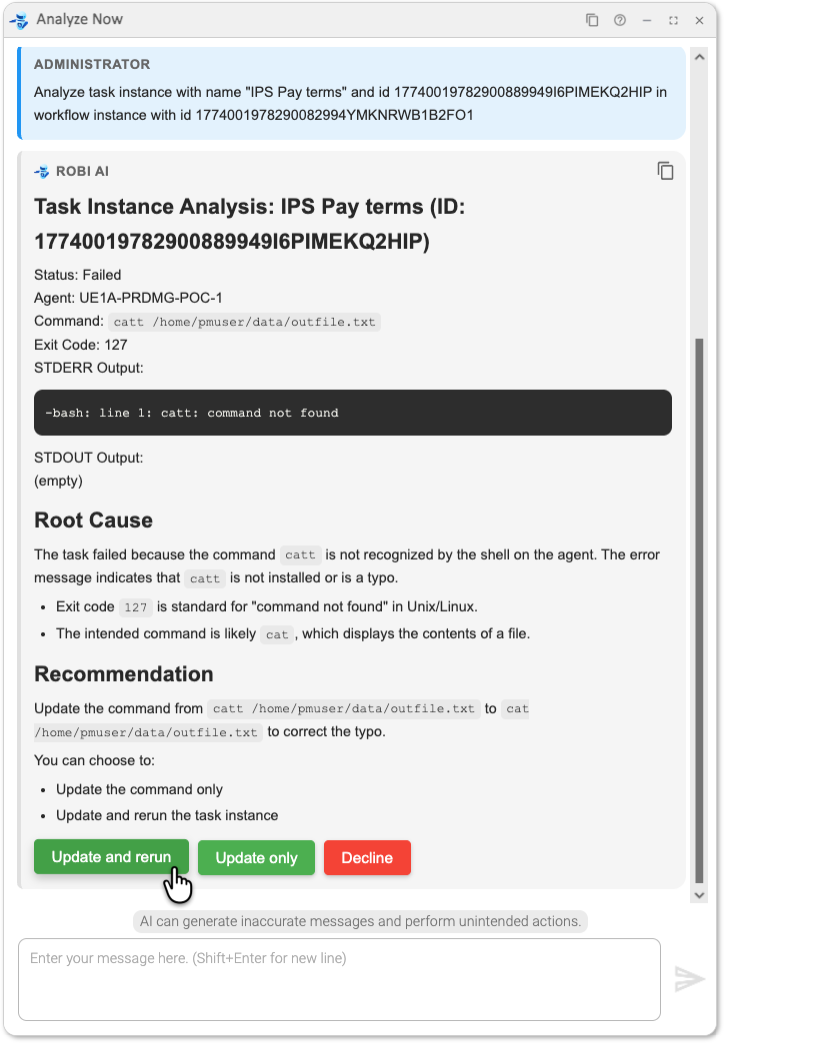
Robi then shows the details of why this instance failed. Since this is a simple fix Robi can do itself, it offers to fix the issue in the instance and rerun.
We can do the same for the second failed task in the workflow. After we fix and rerun the tasks, the workflow completes successfully.
In addition, if we need to involve another team member in this resolution, we could ask Robi AI to create a link (Action URL) to the workflow instance.
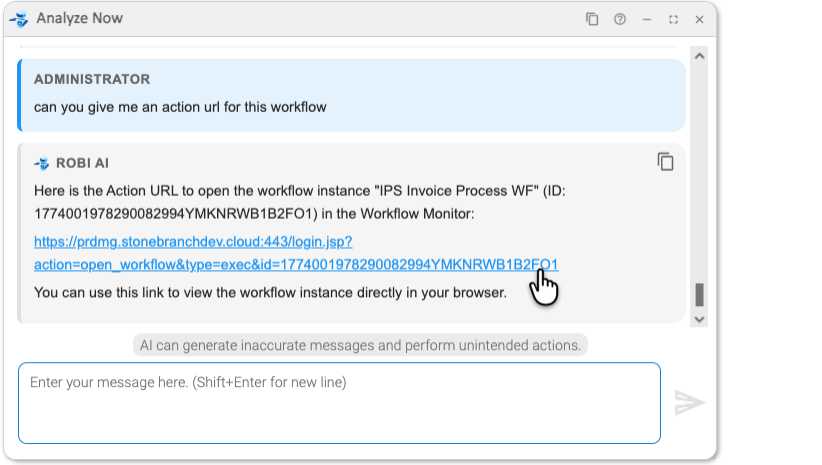
The link will take you straight to the problematic workflow instance.
Example 5: Build a Workflow
Step-by-step interview
We want to create a new workflow called "stonebranch-approval-wf". We start with a simple request without specifying all the details upfront.
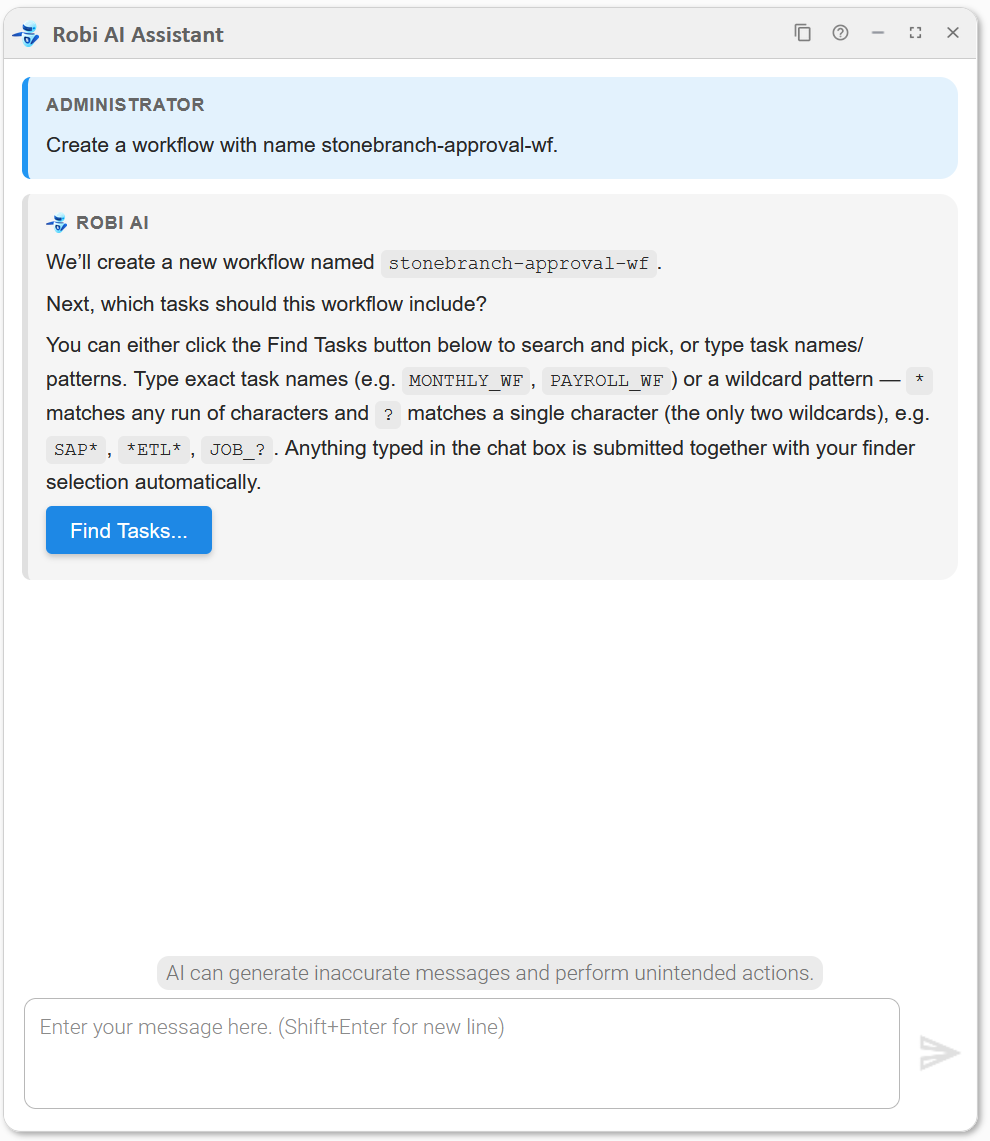
Robi enters the Workflow Builder mode and asks which tasks to include in the new workflow.
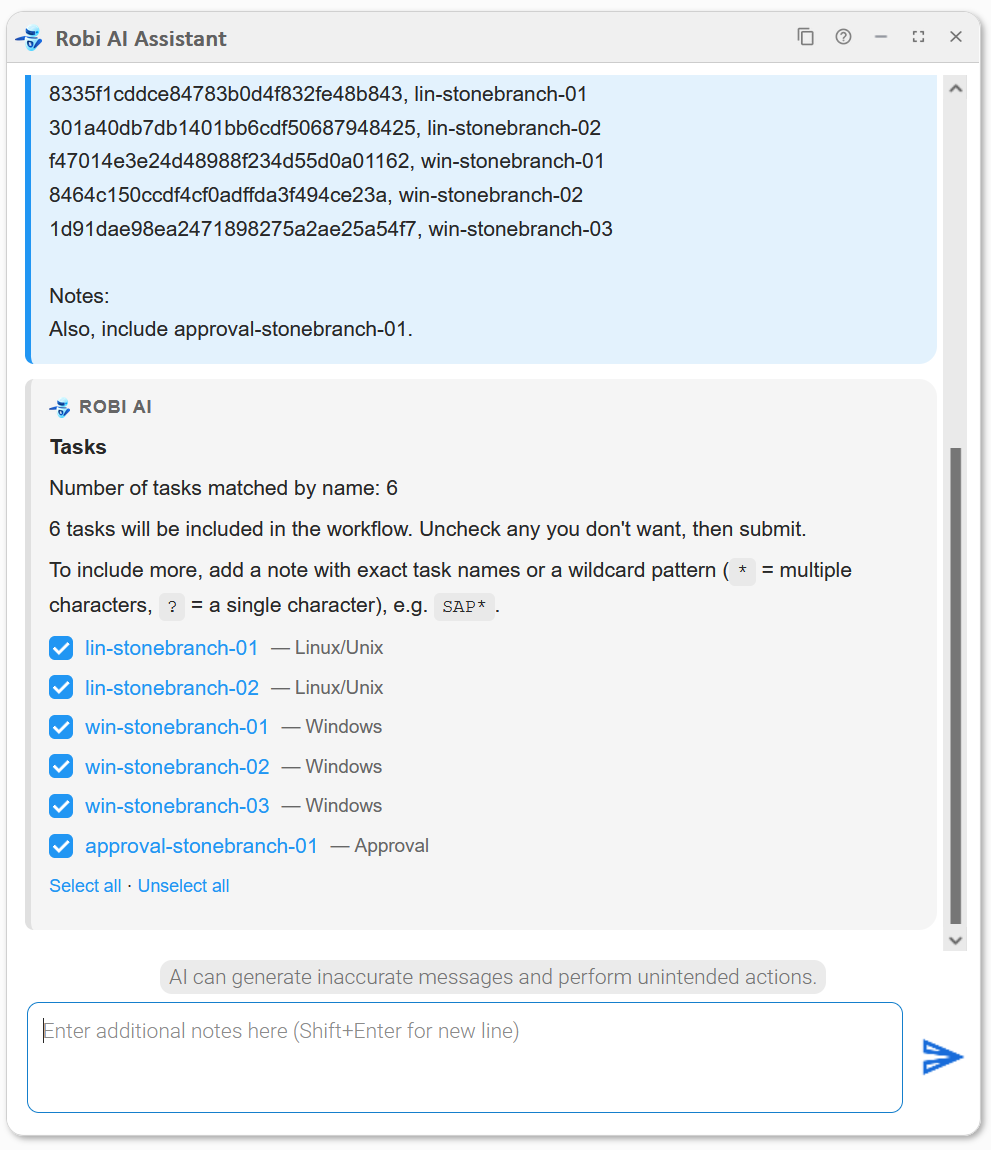
We want to select five specific tasks using the Find Tasks... button, and also tell Robi in natural language to include a sixth. Because clicking Select in the finder automatically submits both the finder selection and anything already typed in the chat box, we type our natural language note first, then open the finder to make our selection and submit.
There are two ways to specify which tasks to include:
- Natural language only: Type your selection in the chat box and press Send.
- Using the Find Tasks finder: Click Find Tasks... to browse and select tasks. Clicking Select in the finder automatically submits both the selection and any notes already in the chat box. If you want to combine the finder with a natural language note (for example, to select specific tasks and also request several additional ones by a pattern), add your note first, then use the finder to finish.
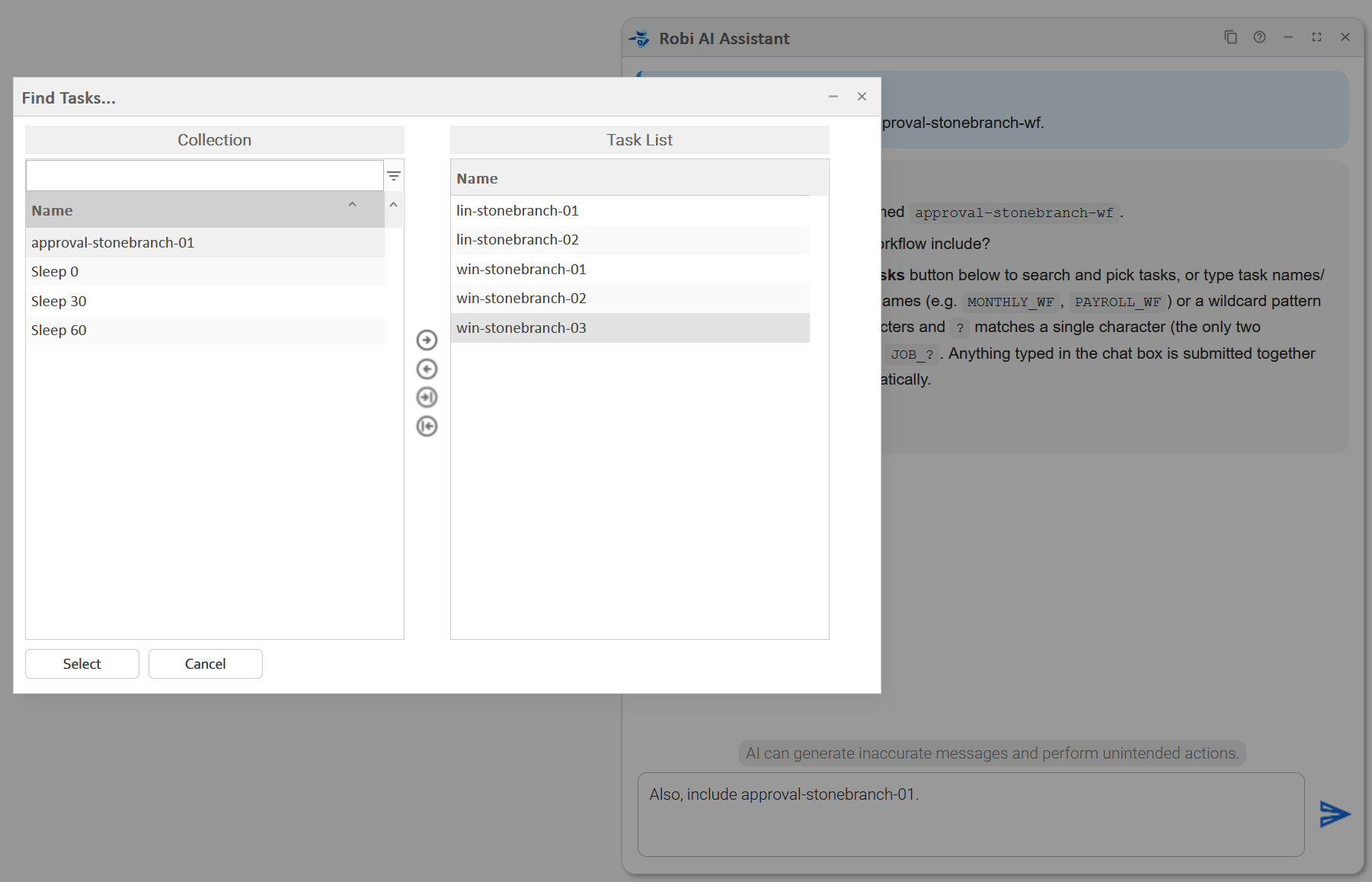
Robi finds all six tasks and asks us to confirm which ones to add. We have the opportunity to uncheck any tasks we don't want to include. In this case, we leave all of the tasks selected.
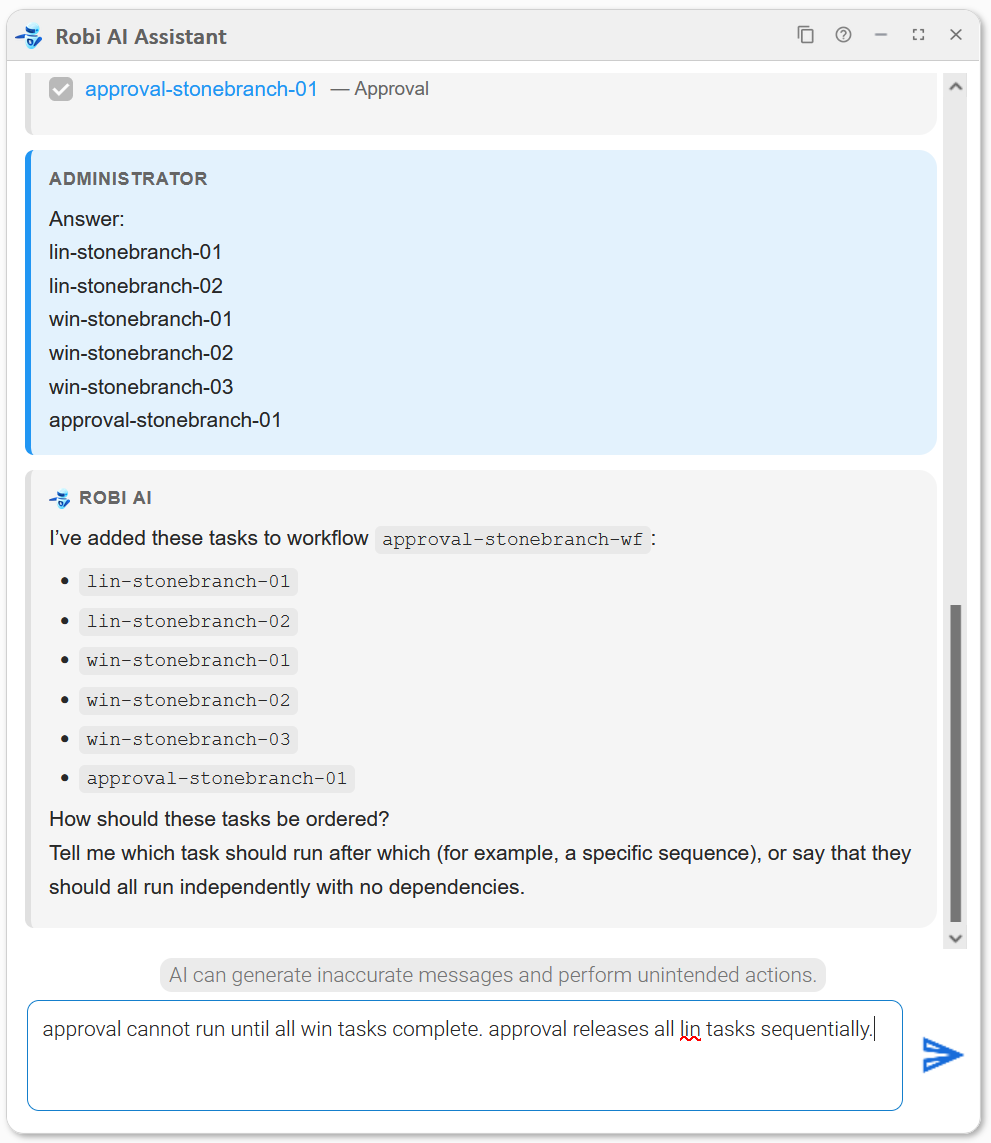
Robi confirms that all tasks have been added, then asks how the tasks should be ordered. We describe the sequence we have in mind.
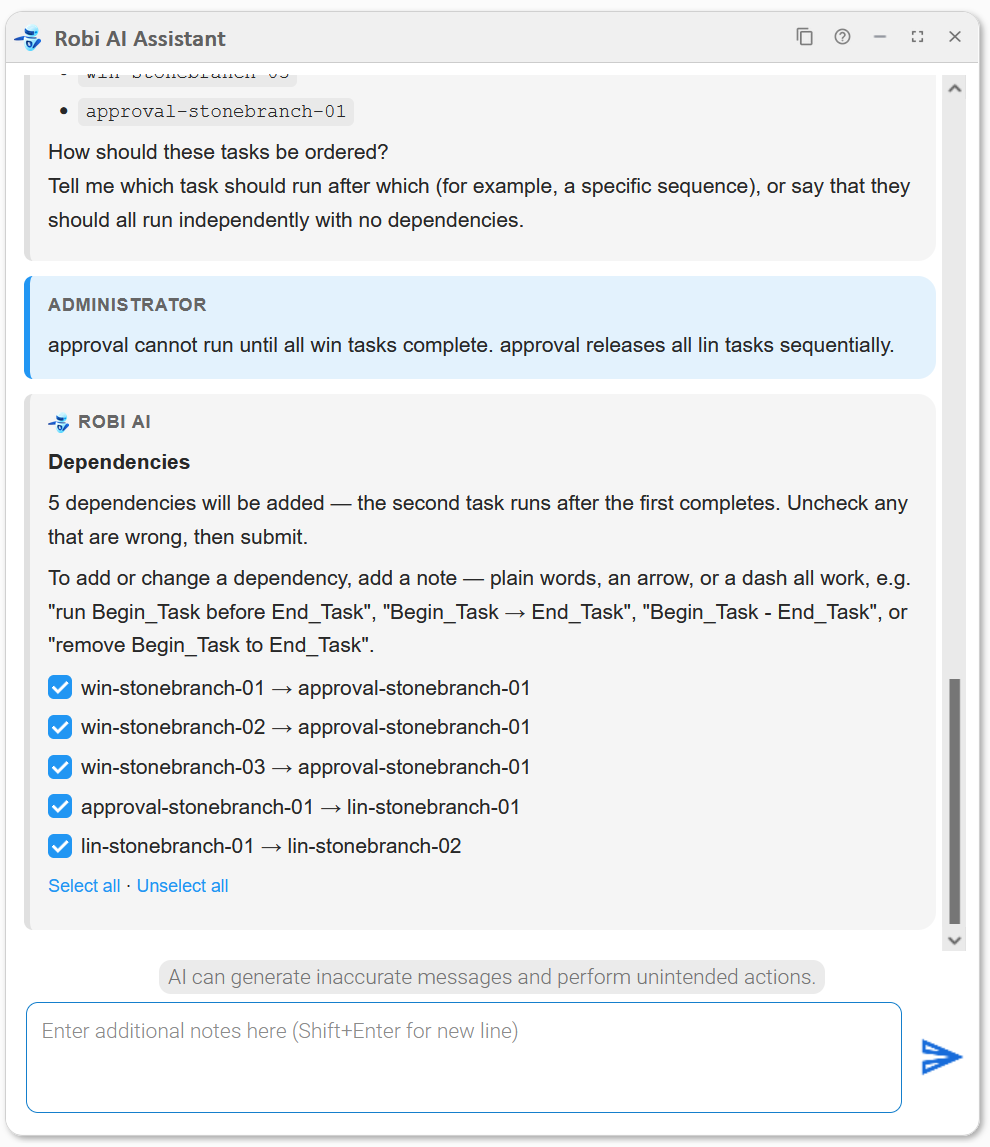
Robi asks us to confirm which dependencies to add. Again, we have the opportunity to exclude any or give further instructions before continuing.
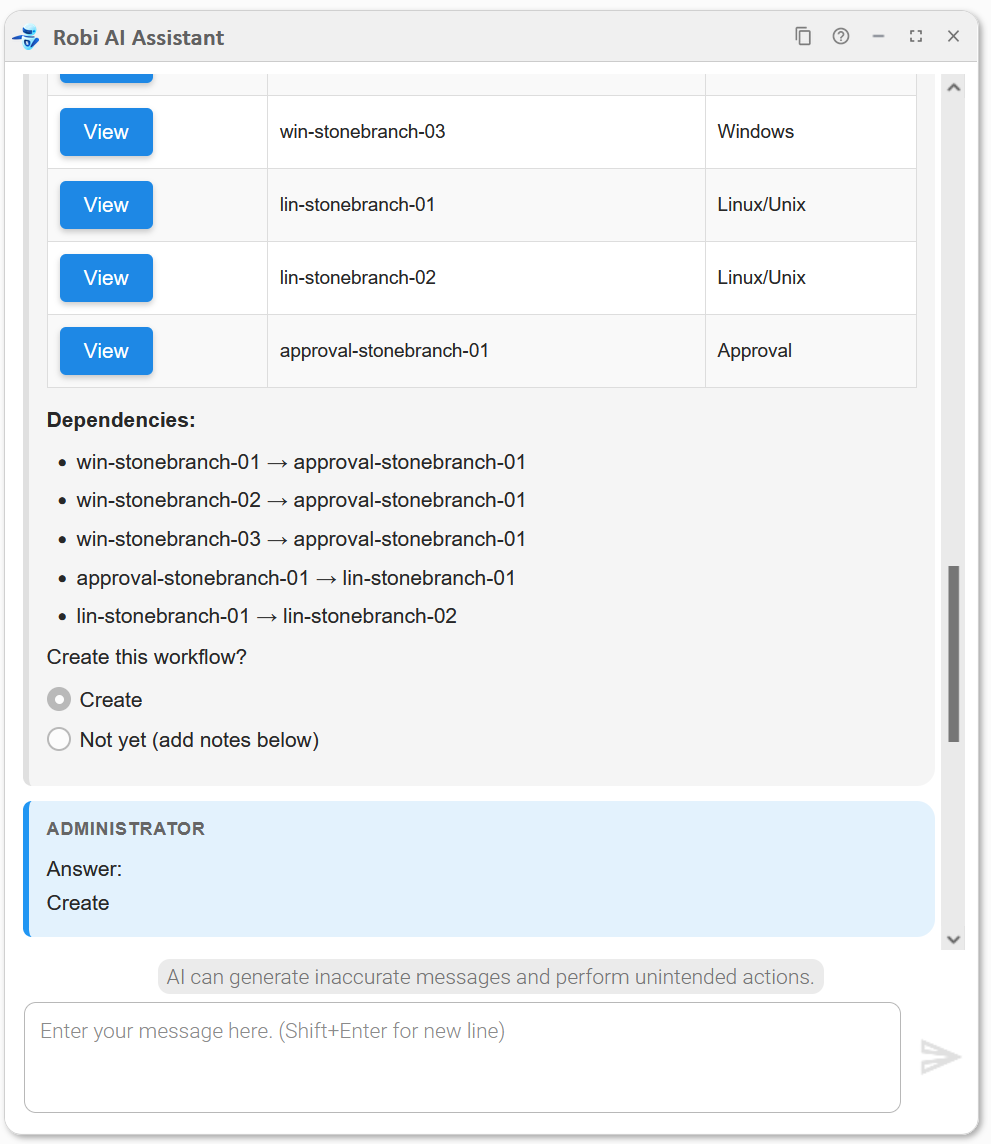
Robi presents the full plan: the workflow name, the tasks to be added, and the dependencies. We click Create to approve.
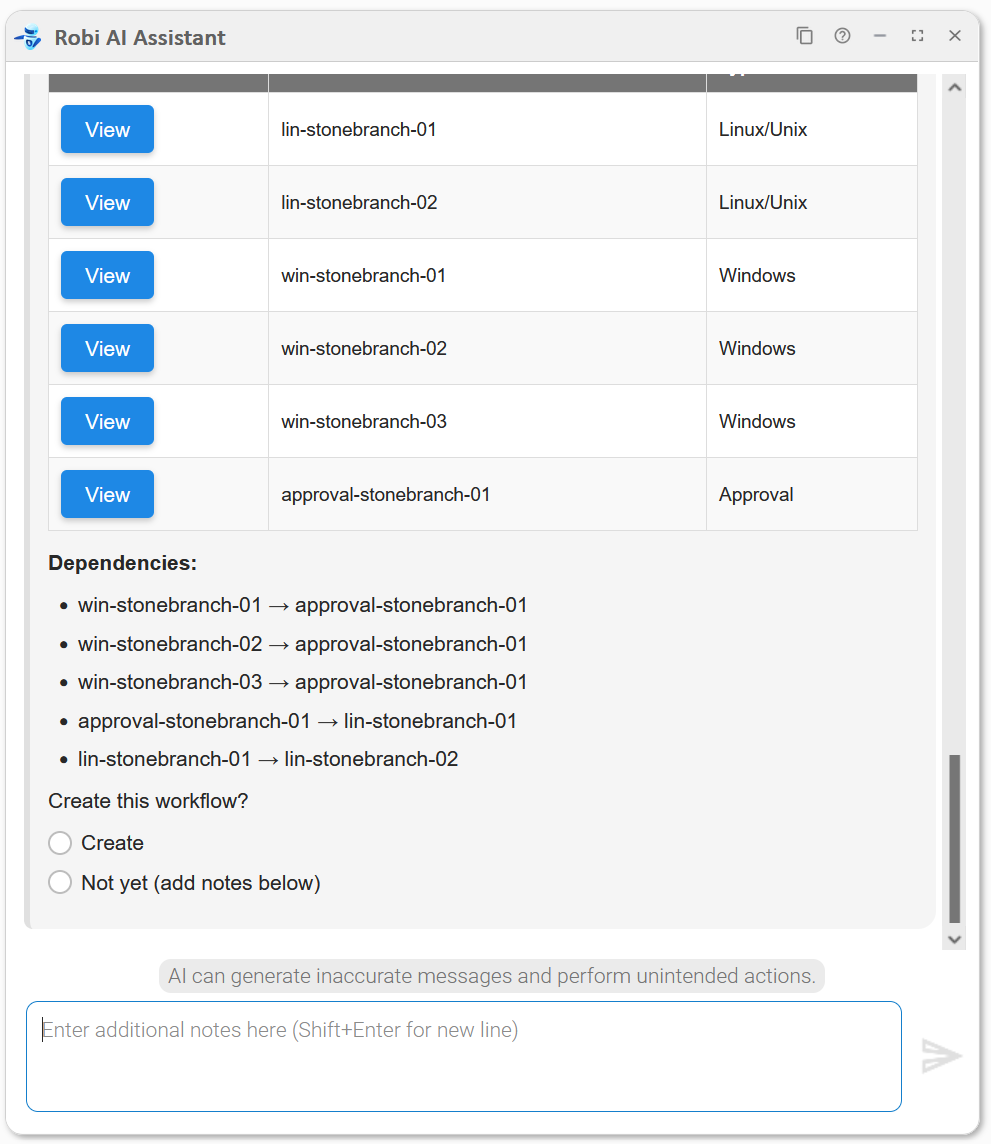
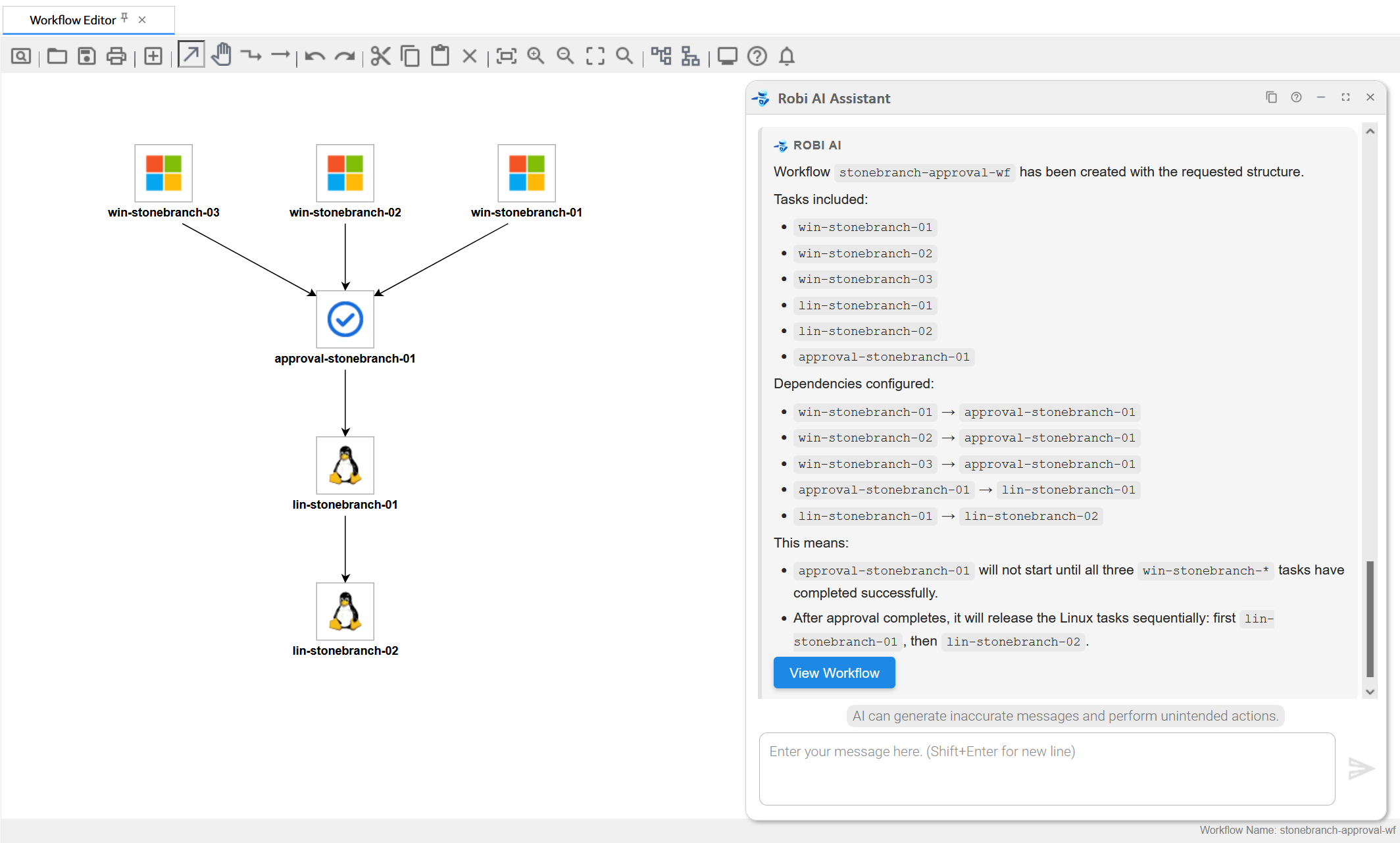
Robi builds the workflow and provides a View Workflow button to open it directly in the Controller. Clicking this button takes us to the workflow.
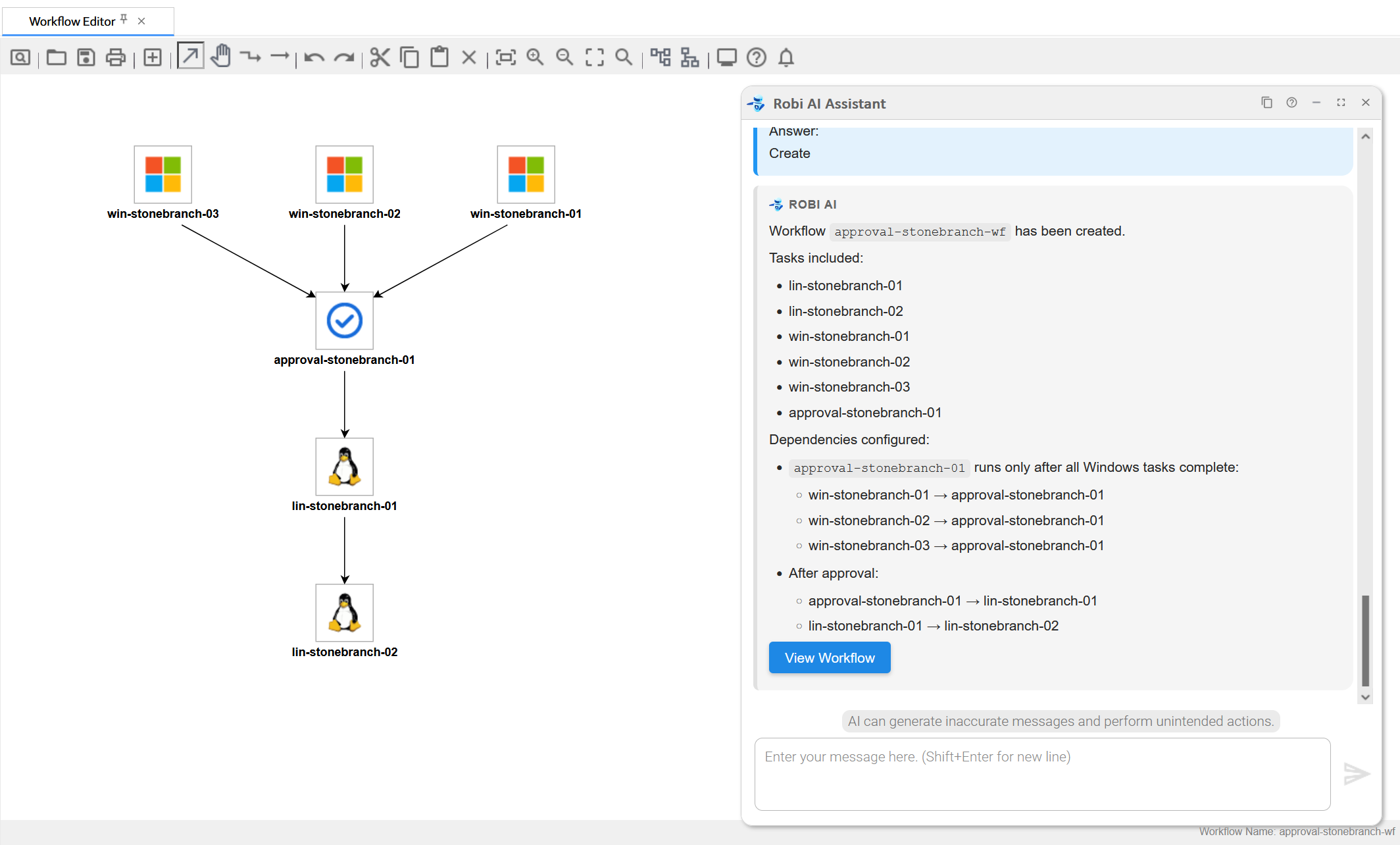
Providing all details upfront
Instead of letting Robi guide us through each step, we can describe the entire workflow in a single prompt, giving Robi the name, the tasks, and their ordering all at once.
Robi finds all the tasks and dependencies from our prompt, then we select which ones to include, as in the previous example.
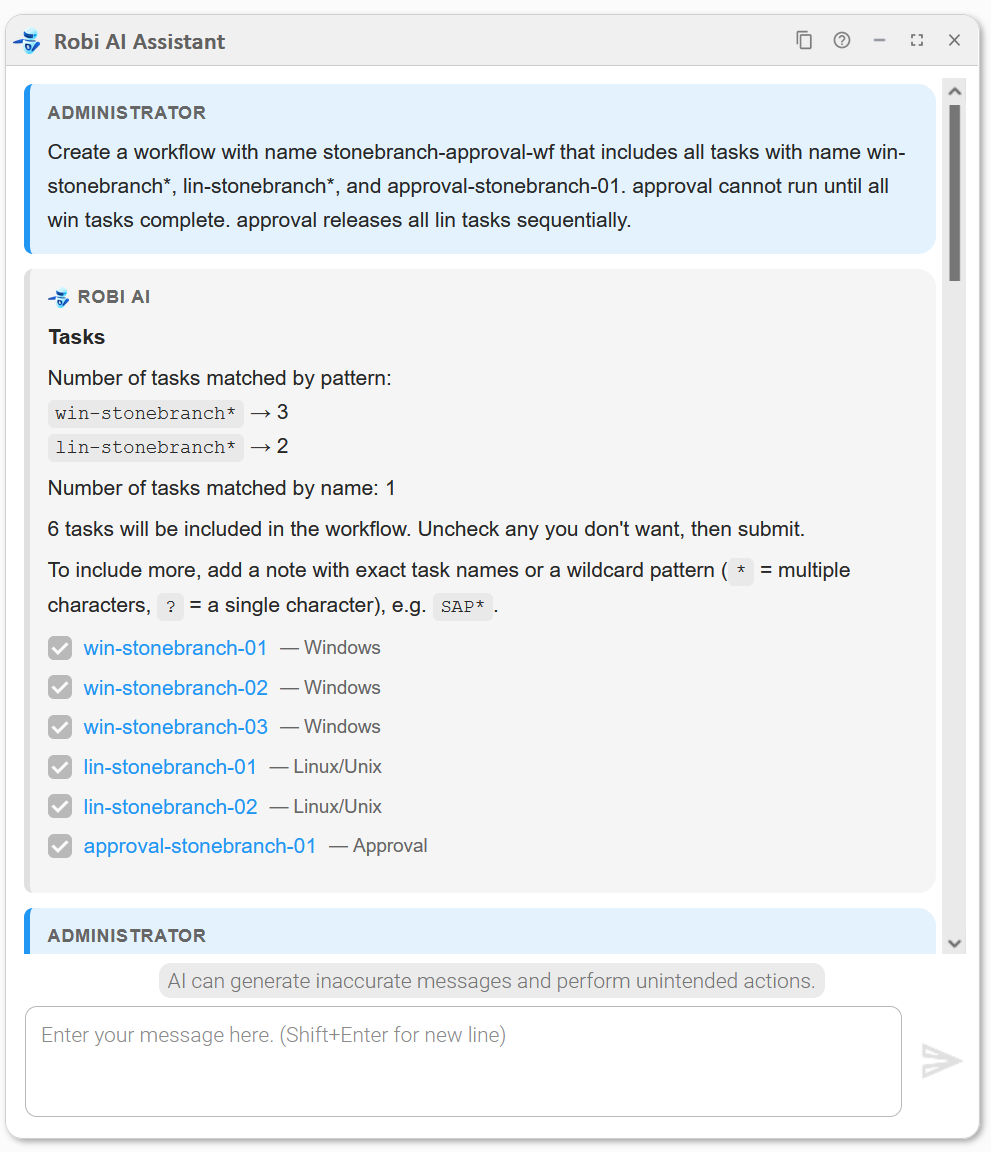
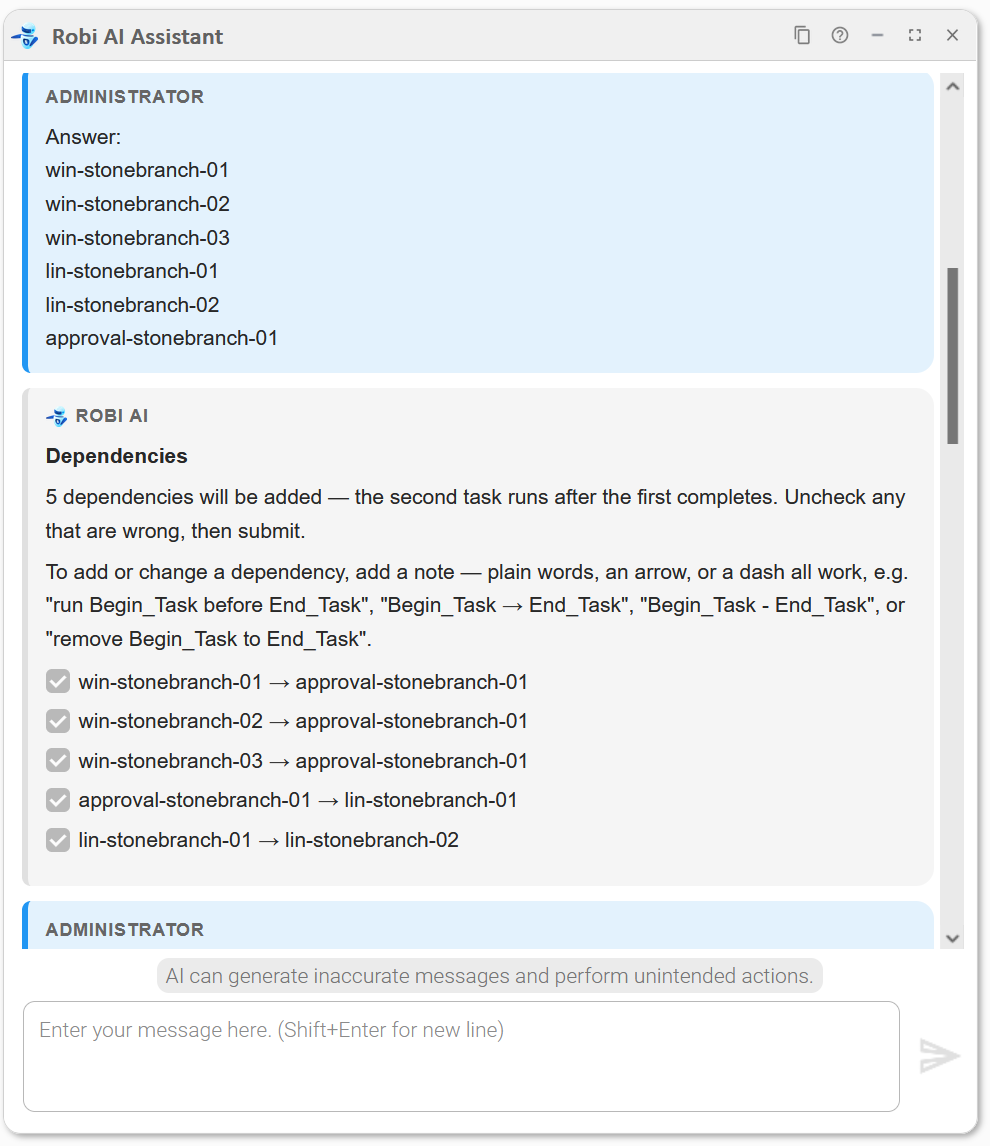
Robi then presents the full workflow without going through any further interview steps.
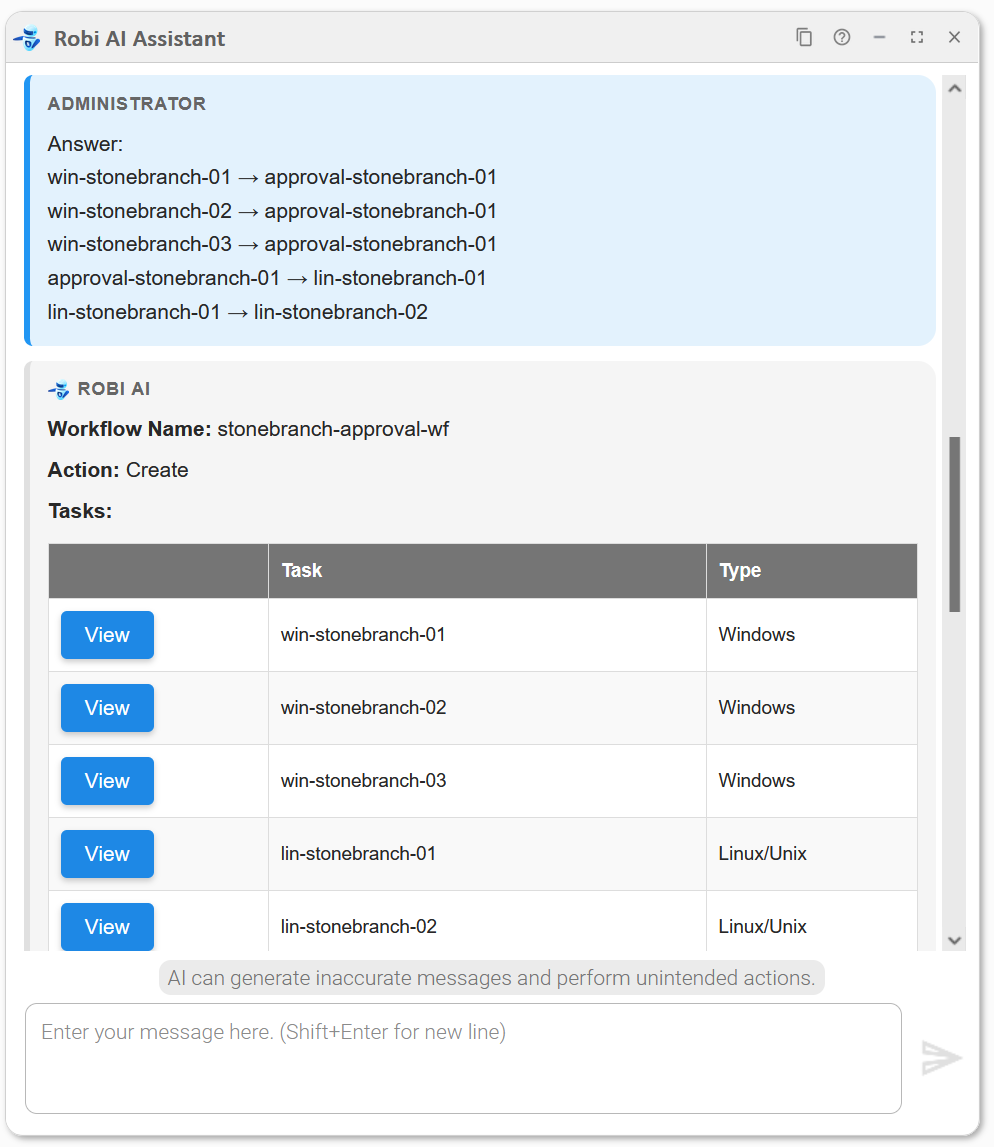
As in the previous example, we are asked to confirm whether to create the workflow, and then we can view it.
Updating an existing workflow
We can use the Workflow Builder to update an existing workflow.
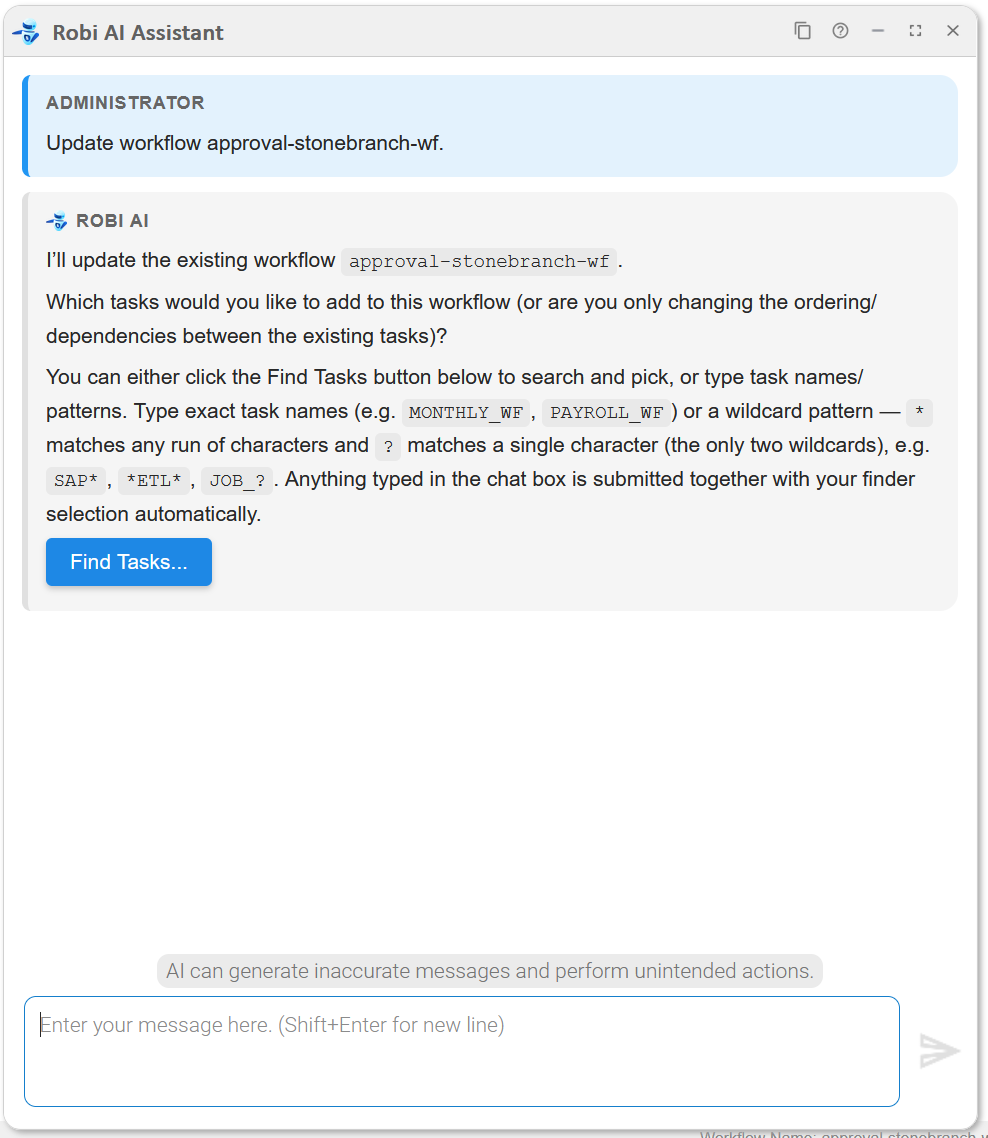
We start by telling Robi which tasks to add to the Workflow.
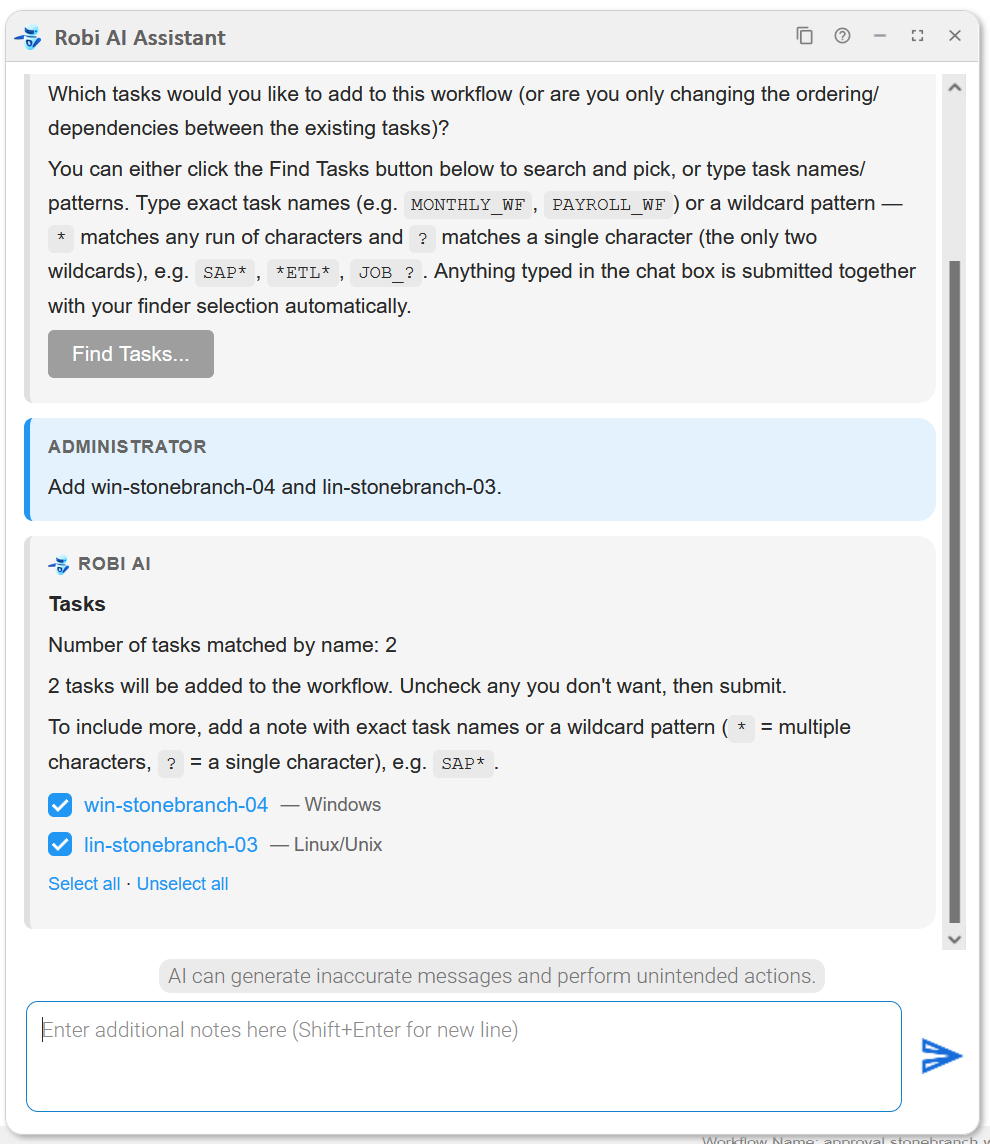
After confirming these tasks, Robi asks how to order these tasks with respect to the existing tasks.
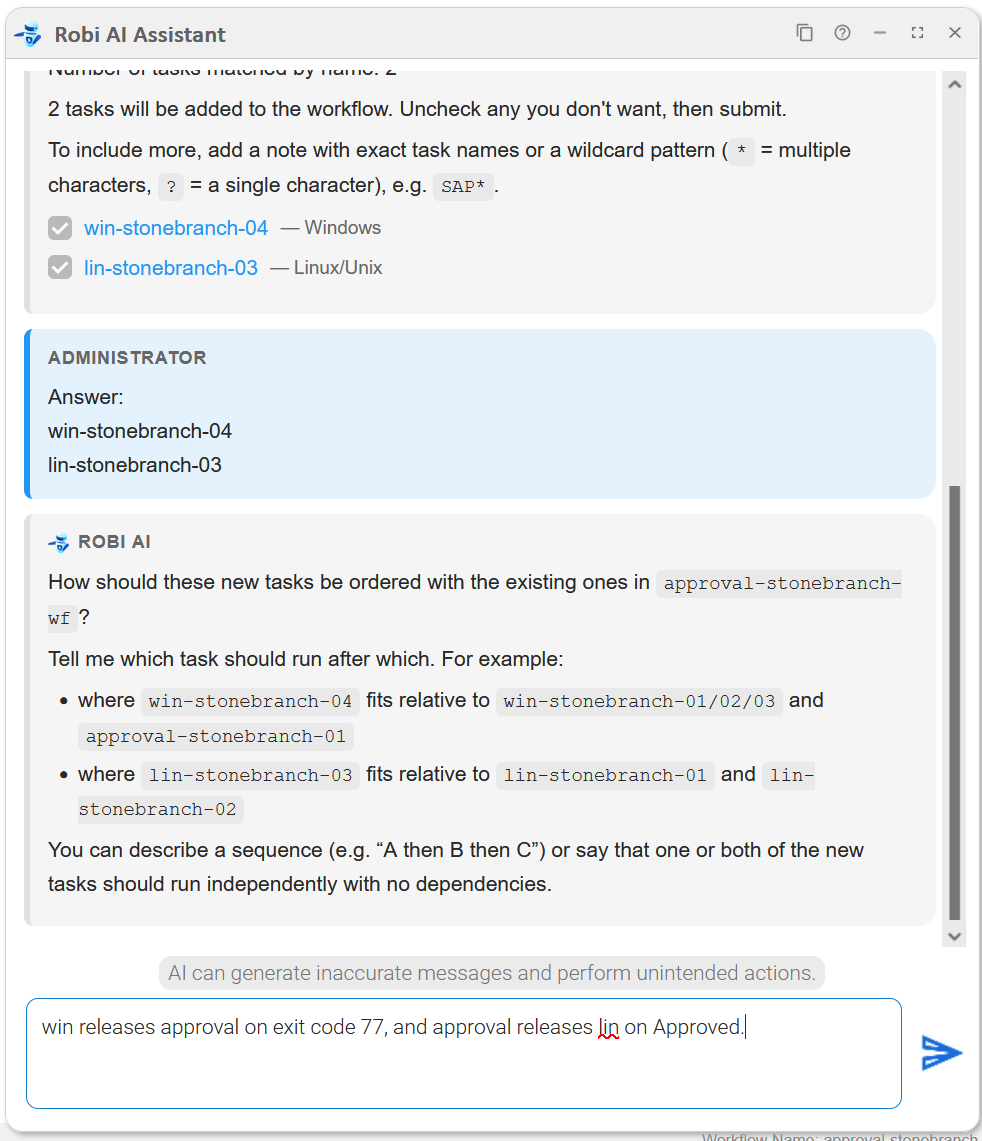
Robi uses our description to add new dependencies on these tasks.
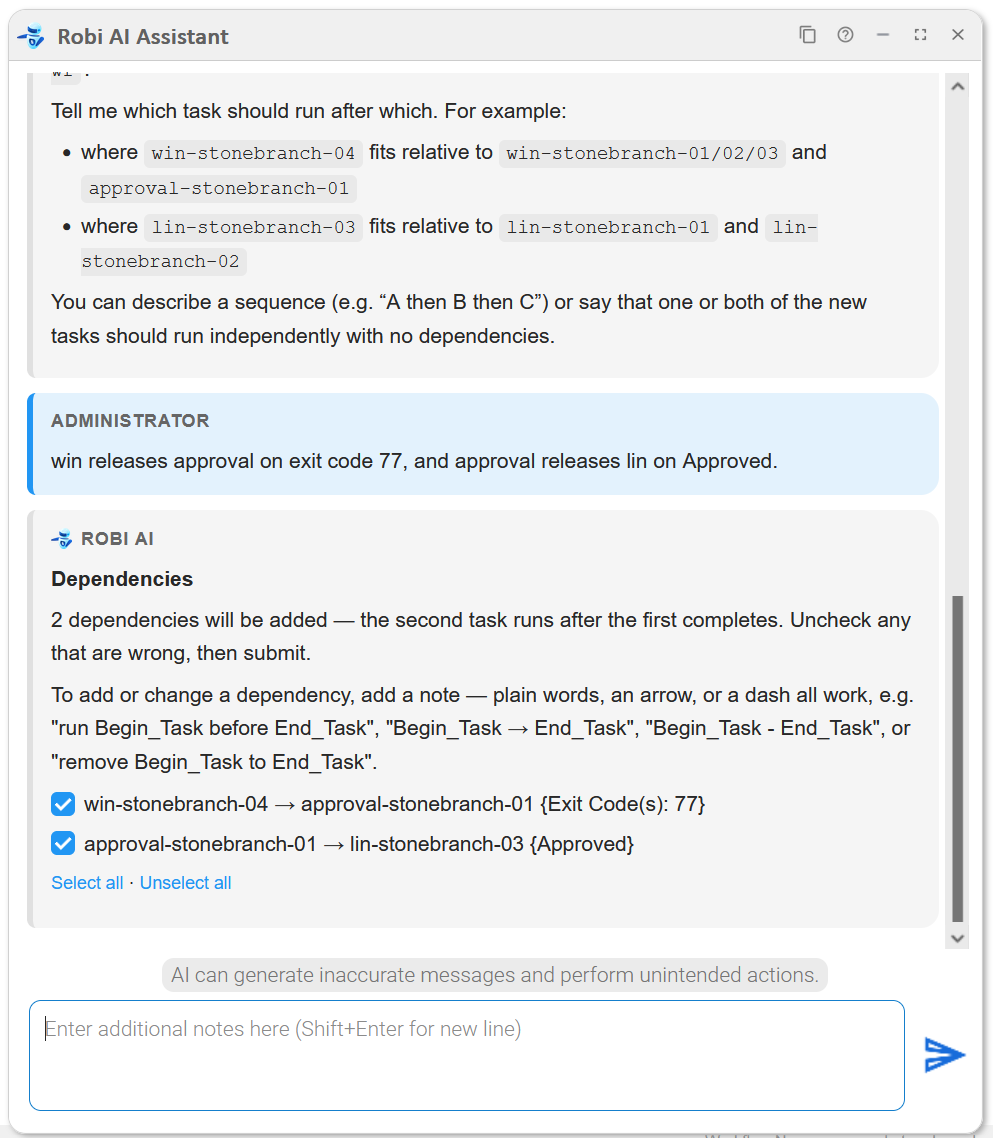
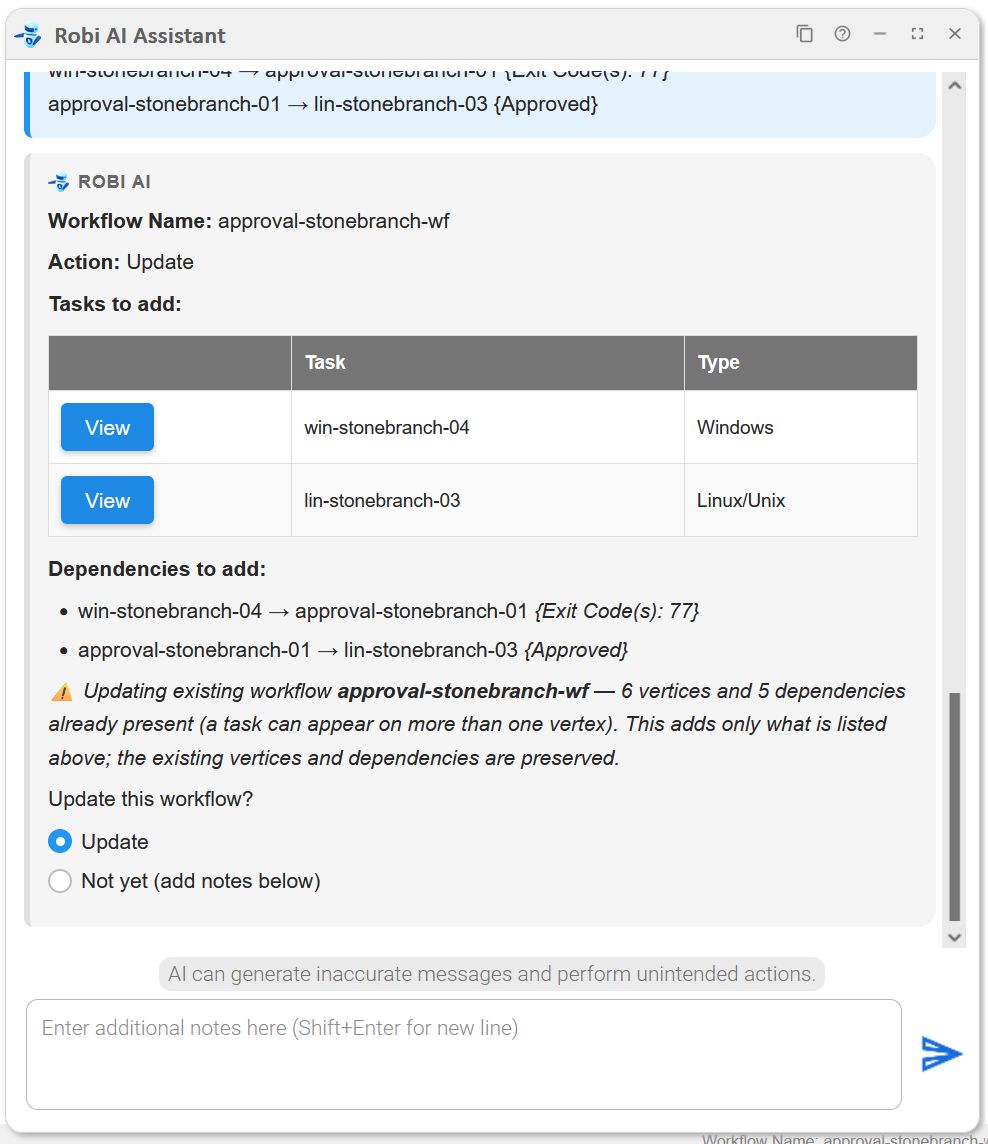
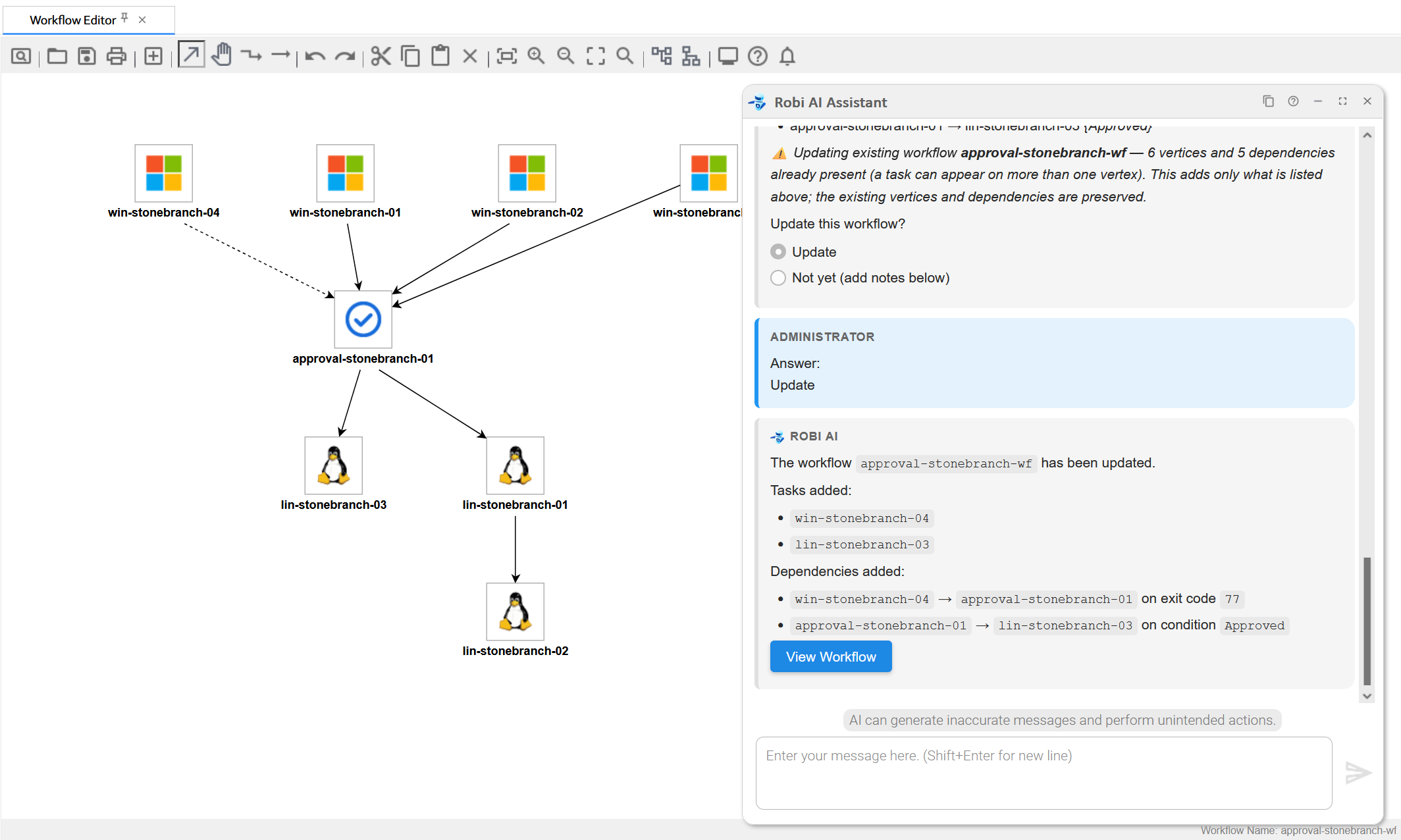
After confirming, Robi presents the final plan summarizing the change. We confirm the plan, then view the updated workflow.
Example 6: Create a Task
We want to create a new task. We describe the task to Robi in natural language. Robi recognizes this as a task-creation request and delegates to the Windows task subagent.
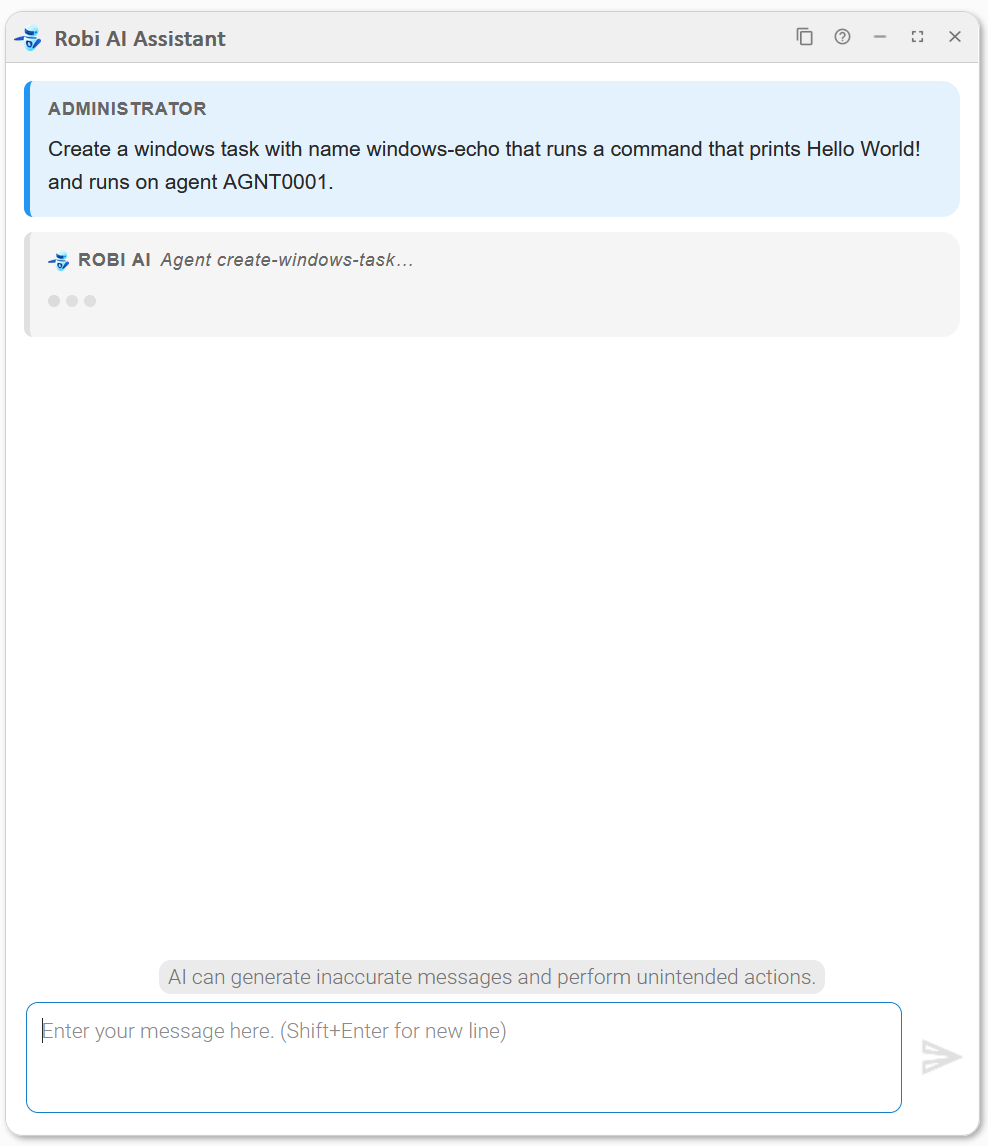
Robi assembles the full task definition and presents it for approval.
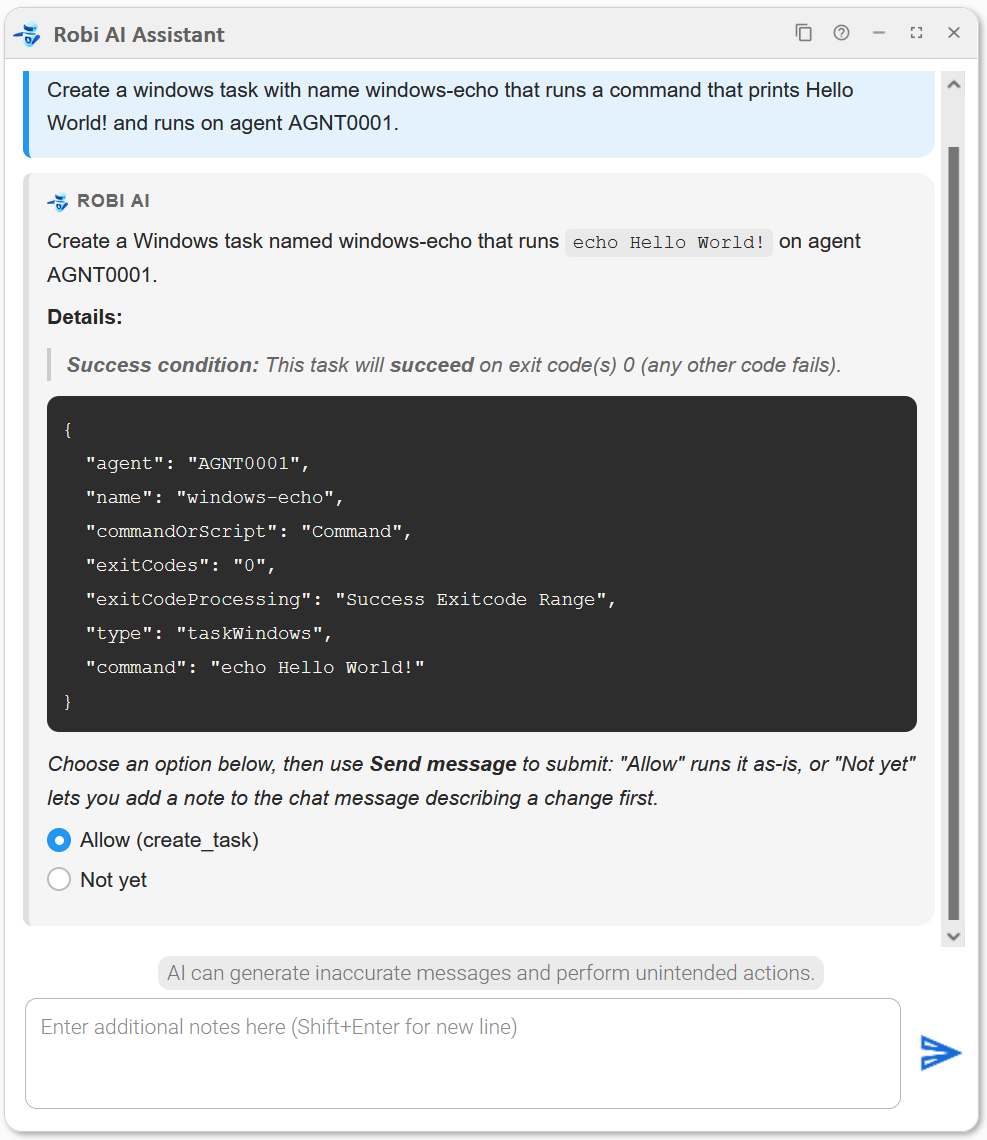
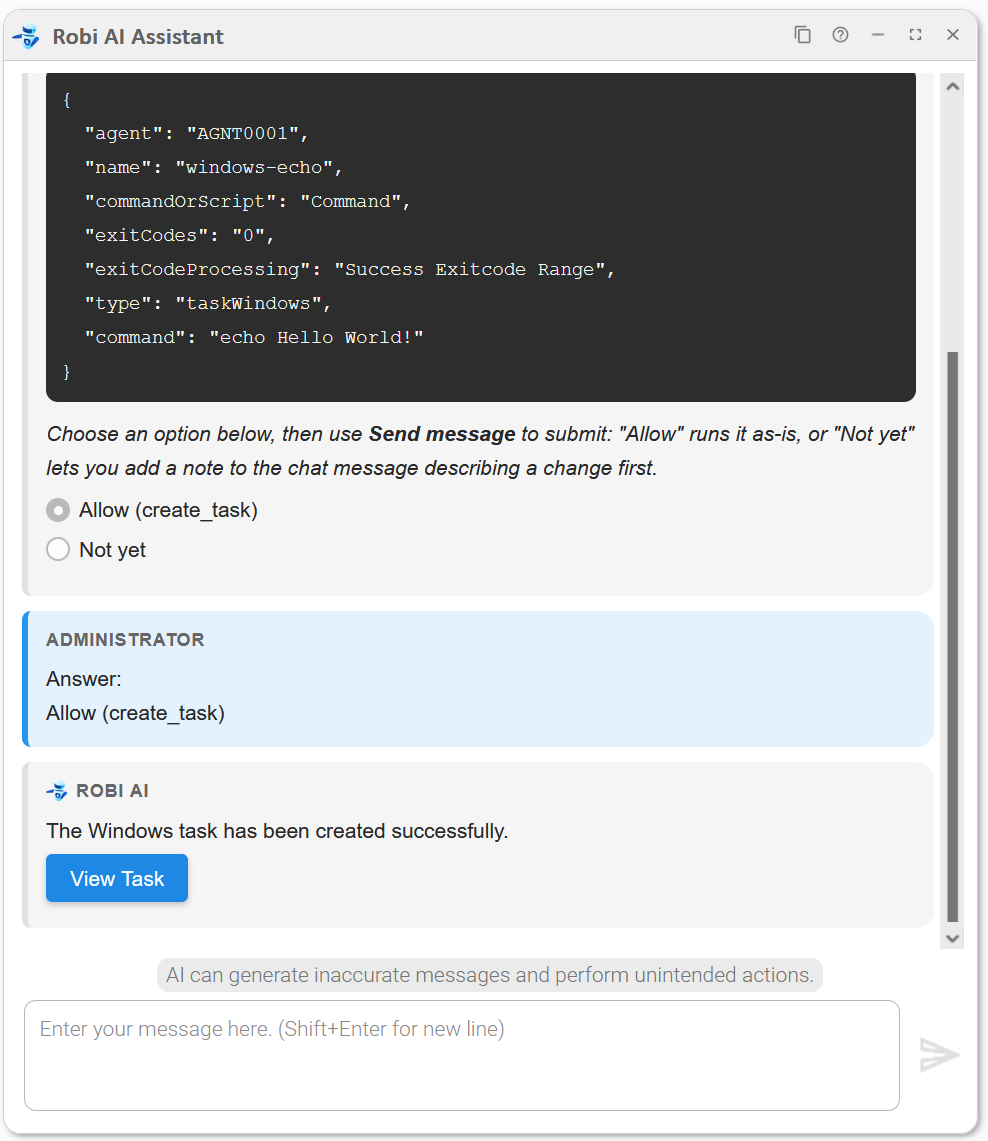
We review the fields in the Details section. If everything looks right, we click Allow (create_task) to write the task to the Controller. Robi confirms the task was created and provides a View button to open it directly.
If we want to adjust something first, we could choose Not yet and add a note describing the change.
Best Practices
Writing Effective Prompts
- Be specific and direct. Robi AI classifies your request to determine what tools and context to use. A clear, specific prompt helps it choose the right approach and avoids unnecessary token usage. For example, if you want to launch a task, say so directly rather than asking a general question.
- Name records explicitly. Robi AI maintains conversation history and can refer to records mentioned earlier in the chat, but the further back in the conversation you refer, the less reliable this becomes. For best results, always name the specific record you are referring to.
- Stay on topic. Robi AI is designed to assist with Universal Controller operations and documentation. It may decline to answer questions that fall outside this scope.
General Guidelines
- Always review AI-generated responses before confirming destructive or write operations (such as task launches or record updates).
- The AI can make mistakes. Review its output for accuracy, especially for complex or sensitive operations.