AI Analyze
AI Analyze allows you to analyze failed tasks and workflows directly from the Robi AI chat interface. Robi can diagnose failures and show relevant details without requiring you to manually inspect logs or related records.
AI Analyze is available via the Analyze Now... button, which appears in Action Menus for task instances and workflows.
The Analyze feature is primarily meant for diagnosing problems with failed task instances, but it is not strictly limited to failed instances. You may analyze any task instance, though the analysis may not be very detailed if there is not much to explain.
The option is available if the AI Analyze feature is enabled in AI Settings.
AI Analyze Features
The AI Analyze window, like the Robi AI Assistant window, is a chat interface where you can interact with Robi to identify and troubleshoot problems in failed tasks and workflows.
While the Assistant is designed to take general actions and answer questions, the Analyze feature provides focused evaluations of specific records.
AI Analyze functionality depends on the enabled Tools. We recommend keeping the default tools enabled.
See Use Cases and Best Practices for a more detailed list of typical scenarios the AI Analyze feature is best equipped to handle, and general guidelines on how to use Robi AI most effectively.
Analyzing a Failed Task Instance
To analyze a failed task instance, right-click it and select Analyze Now.... The AI Analyze window will open, and Robi will explain what went wrong and how to fix the problem.
Robi can read error messages to determine the cause of the problem, and intelligently work out a solution.
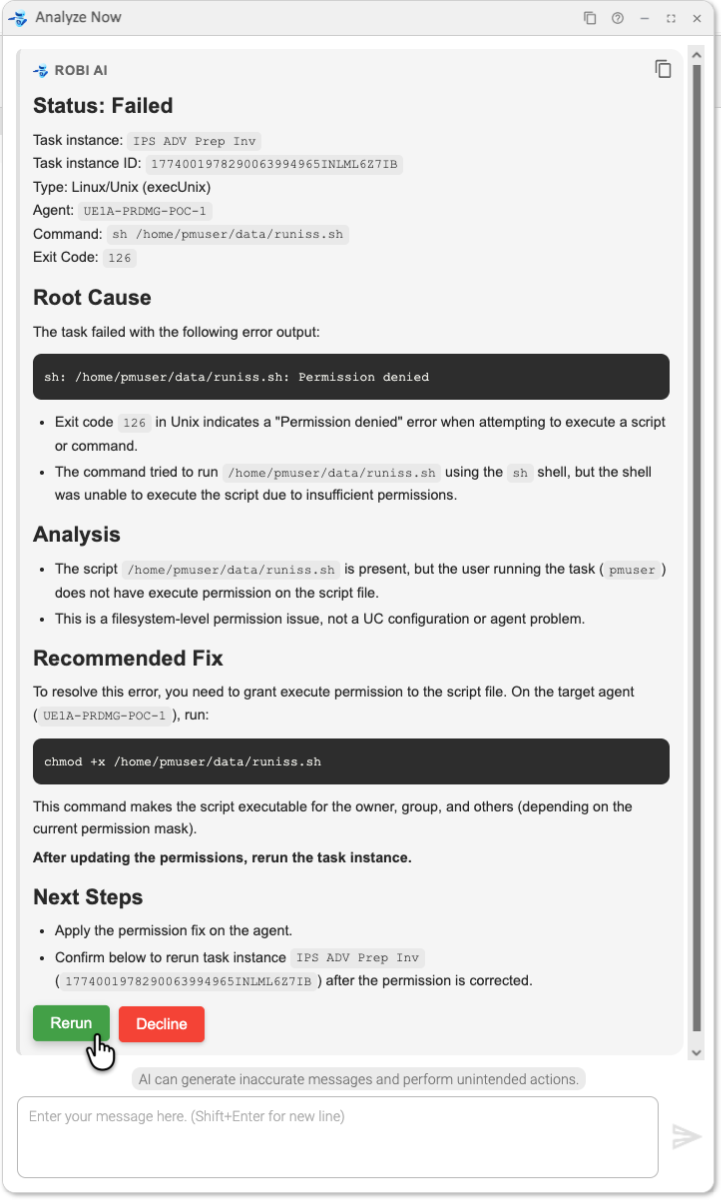
If the solution to a problem involves an taking an action in the Controller, such as modifying the task, Robi can offer to take the action directly.
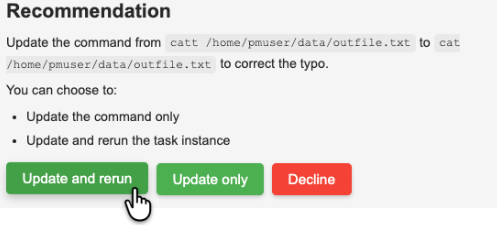
Note that if Robi updates a record, the Additional Information field in the Audit will show that it was modified by Robi AI.
Analyzing a Failed Workflow
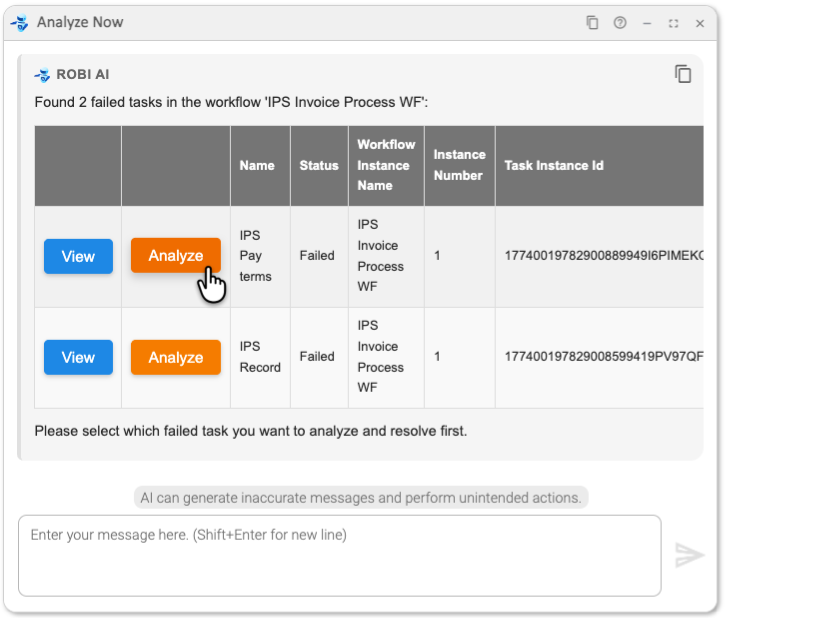
When analyzing a workflow that contains multiple failed task instances, the AI Analyze window lists all failed tasks in a table. You can select which task instance(s) to analyze from this list.
Activity Indicator
While Robi is analyzing, an activity indicator appears in the window showing its current status. It displays Thinking... between processing steps, and Executing <tool name>... when a specific tool is running. The indicator clears when the analysis is complete.
Guidelines
For more guidance on how to get the most out of the AI Analyze feature, see Use Cases and Best Practices.