Universal Connector for SAP Authorizations
Thisdocument describes how to create an authorization profile for the Stonebranch Universal Connector for SAP (USAP).
Universal Connector for SAP Authorization Profile
Perform the following steps using transaction su02 to manually create the profile (optionally use transaction PFCG “Profile Generator”).
-
Create a new Role.
For example: Z_UAC, and add a description e.g., Scheduling Role Stonebranch SAP Connector -
Manually add the authorizations and values according to the table below.
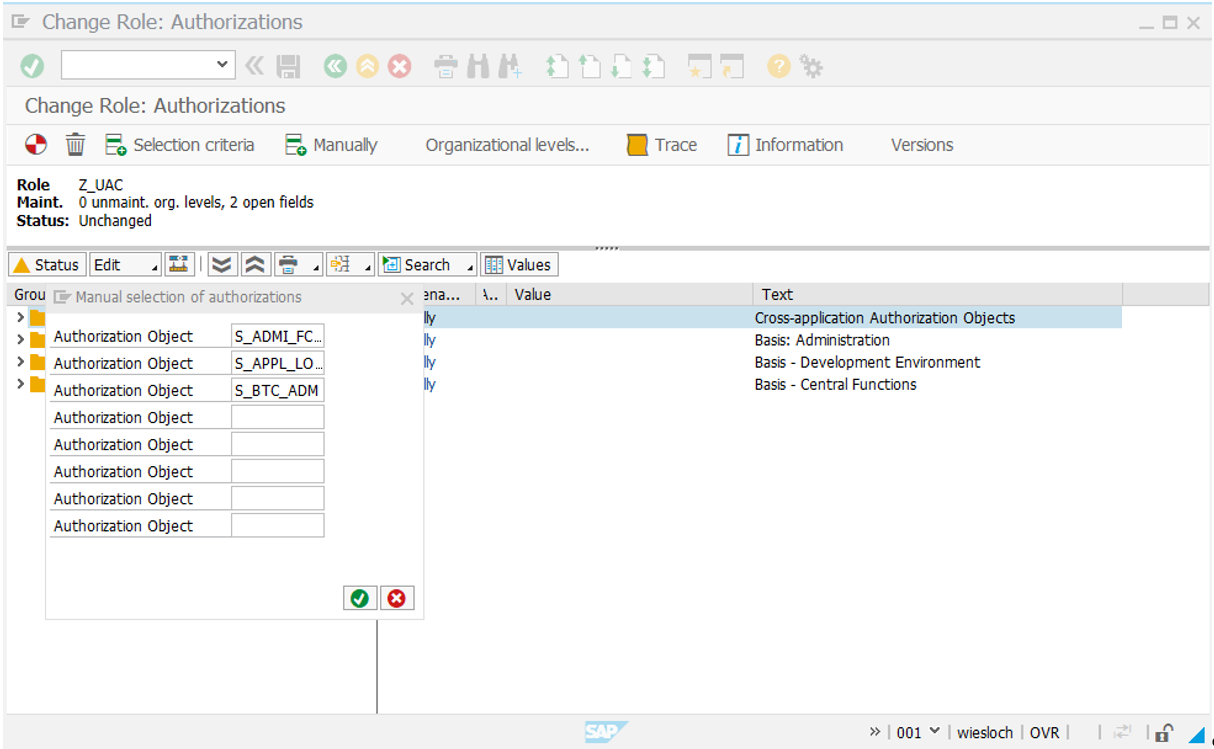
Authorization for Universal Connector for SAP
Object
Description
Authorization
Values
S_ADMI_FCD
System authorizations
S_ADMI_ALL
System authorizations.
- S_ADMI_FCD - System administration function: Full authorization ( All values ).
S_APPL_LOG
Application logs
S_APPL_L_E2E
Activity: Display.
- ALG_OBJRCT - Application log Object name: Full authorization.
- ALG_SUBOBJ - Application log subobject: Full authorization.
- ACTTVT - Activity: Full authorization.
S_BTCH_ADM
Background processing: Background administrator
S_BTCH_ADM
Background processing: Background administrator.
- BTCADMIN - Background administrator ID: Full authorization.
S_BTCH_JOB
Background processing: Operations on background jobs
S_BTCH_ALL
Background processing: Operations on background jobs.
- JOBACTION - Job operations: Full authorization.
- JOBGROUP - Summary of jobs for a group: Full authorization.
S_BTCH_NAM
Background processing: Background user name
S_BTCH _ALL
Background processing: Background user name.
- BTCUNAME - Background user name for authorization check: Full authorization.
S_DEVELOP
ABAP Workbench: full authorization to modify objects of type PROG
E_ABAP_ALL
ABAP Workbench: full authorization to modify objects of type PROG**.**
- DEVCLASS - Package: full authorization.
- OBJTYPE - Object Type: authorization to modify objects of type PROG.
- P_GROUP - ABAP Program Authorization Group: full authorization.
- ACTVT - Activity: full authorization.
S_LOG_COM
Authorization to run external commands
S_LOGCOM_ALL
Authorization to Execute Logical Operating System Commands.
- COMMAND - Name of logical Command : Full authorization.
- OPSYSTEM - Operating System Application Server : Full authorization.
- HOST - Application Server : Full authorization.
S_PROGRAM
ABAP: program run checks
S_ABAP_ALL
ABAP: Program run checks.
- P_ACTION - User action ABAP program: Full authorization.
- P_ GROUP - Authorization group ABAP/4 program: Full authorization.
S_RFC
Authorization. check for RFC access
S_RFC_ALL
Authorization check for RFC access.
- RFC_NAME - Name of RFC to be protected: Full authorization.
- RFC_TYPE - Type of RFC object to be protected: Full authorization.
- ACTTVT - Activity: Full authorization.
S_RZL_ADM
CCMS: System Administration
S_RZL_ALL
- ACTVT - Activity: Full authorization.
S_SPO_ACT
Spool: Actions
S_SPO_ALL
Spool: Actions.
- SPOACTION - Authorization field for spool actions: Full authorization.
- SPOAUTH - Value for authorization check: Full authorization.
S_SPO_DEV
Spool: Device authorizations
S_SPO_DEV_AL
Spool: Device authorizations.
- SPODEVICE - Spool - Long device names: Full authorization.
S_XMI_LOG
Internal access authorizations for XMI log
S_XMILOG_ADM
Internal access authorizations for XMI log
- XMILOGACC - Access method for XMI log: Full authorization.
S_XMI_PROD
Authorization for external management interfaces (XMI)?
S_XMI_ADMIN
- EXTCOMPANY - XMI logging: company name of external management tool : Full authorization.
- EXTPRODUCT - XMI logging: Program name of external management tool : Full authorization.
- INTERFACE - Interface ID (for example, XBP) : Full authorization.
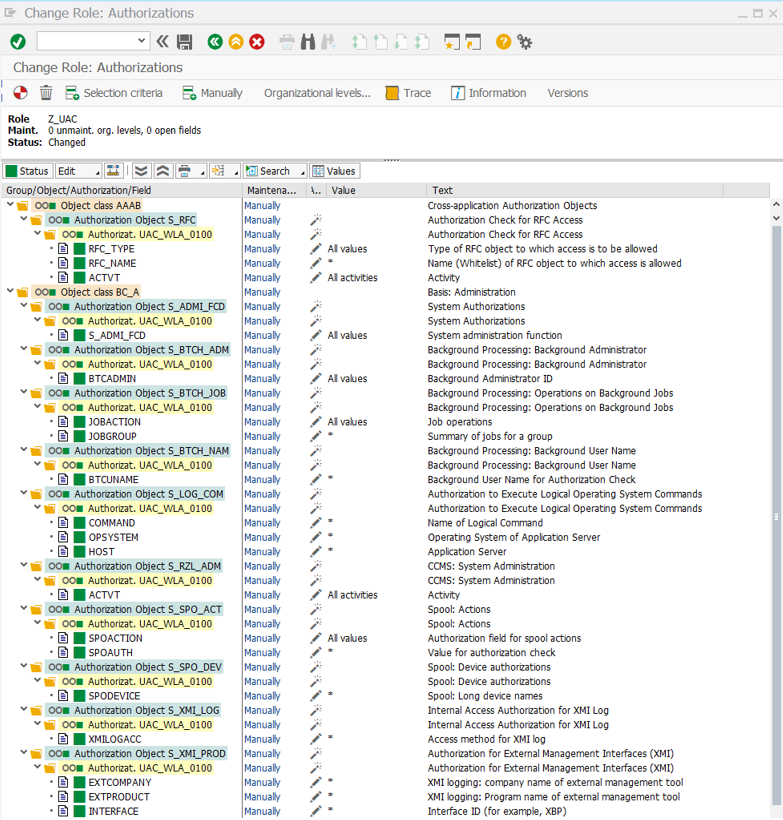
infoThe authorizations are in the "Basis: Administration" object class.
Depending on the SAP version, the authorization S_RFC_ALL are located either in the "Cross-application Authorization Objects" or in the "Non-application-specific Authorization Objects" object class.
The following Screenshot show the configured Authorization Objects:
3. 
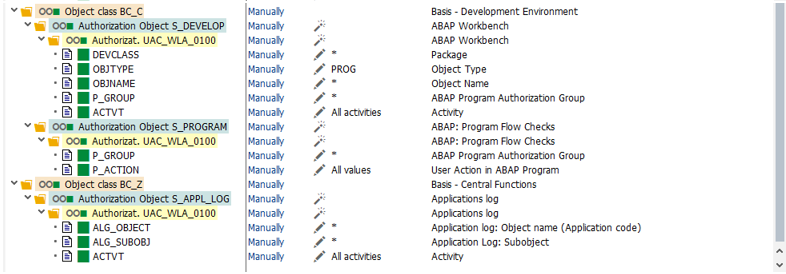 4. Add a profile name.
For example: UAC_WLA_01, and a description (for example, UAC SAP Connector Profile).
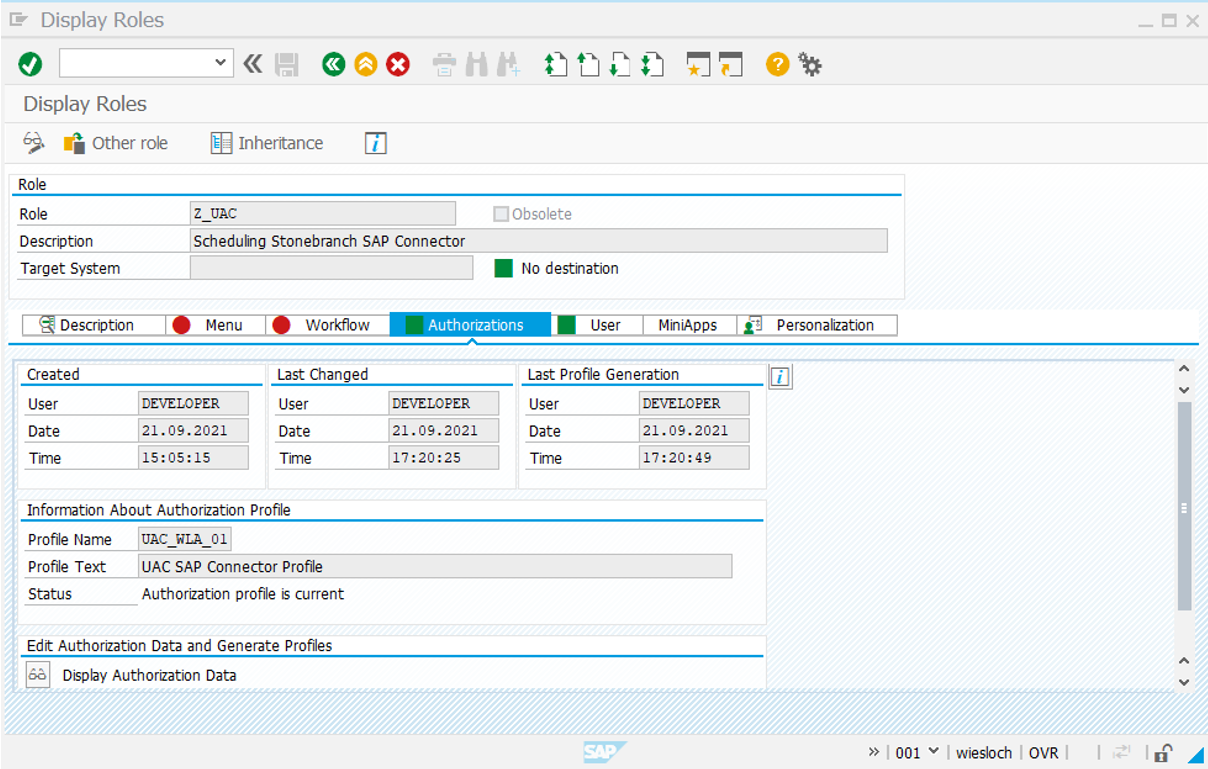 5. Save the profile.
6. Go to the user maintenance panel and assign the profile to the Universal Controller user for SAP R/3.
5. Save the profile.
6. Go to the user maintenance panel and assign the profile to the Universal Controller user for SAP R/3.
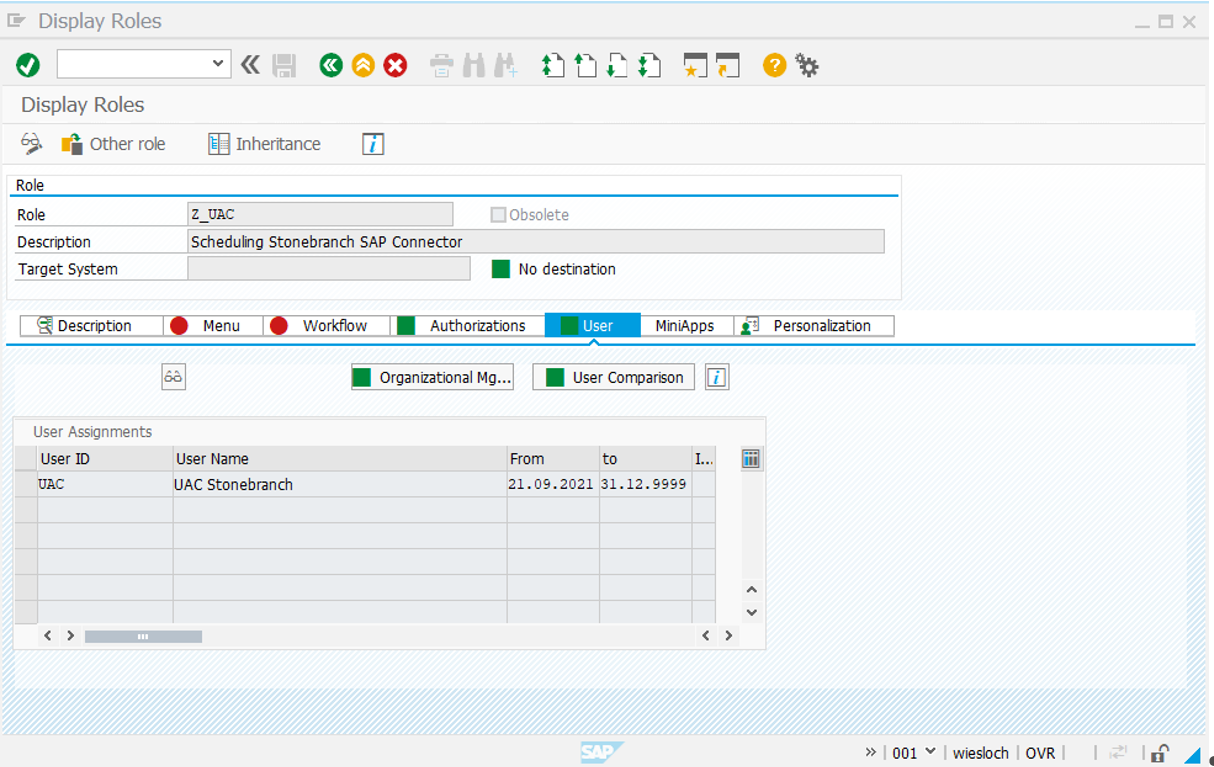 7. Save the user data.