Universal Controller 8.0.0.0 Release Notes
Universal Controller release 8.0.0.0 contains the following high-level features. For a complete list of all the included features and fixes, please refer to the Universal Controller 8.0.x Maintenance list.
Highlights
Backlog | Title | Description |
|---|---|---|
E-02311 | AI
| Introducing Robi AI - an intelligent assistant built into Universal Automation Center. Robi AI brings natural language interaction and contextual insights to help users understand, troubleshoot, and optimize workloads. Robi AI is accessible directly within the Controller UI through the Robi AI Assistant chat window and the Analyze Now action. The Assistant provides a conversational interface for asking questions about workflows, tasks, and system behavior. Analyze Now enables deeper inspection of failed task instances and workflows, identifying root causes and suggesting corrective actions. Robi AI is powered by an AI Service that communicates with an AI MCP Server (Model Context Protocol), which exposes Controller operations as tools the AI can invoke. A vector database provides Retrieval-Augmented Generation (RAG) for documentation-aware responses. See Getting Started with Robi AI for installation and configuration details. |
Architecture
Backlog | Title | Description |
|---|---|---|
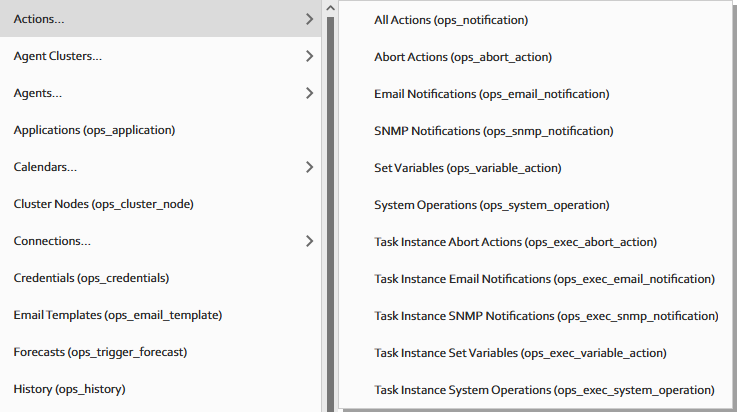
B-21523 | Split task and task instance action records into separate table hierarchies. | Previously, the Controller stored Actions (e.g. Abort Actions, Email Notifications, etc.) for tasks and task instances in the same table hierarchy. For customers with a large number of Actions, this could cause performance issues. Now, task instance actions are stored in separate, flattened tables, improving query performance and optimizing Data Backup/Purge purge operations. This change is primarily a backend improvement. You will not notice many changes in the UI, except when generating Reports, you will now see separate tables for Task Actions and Task Instance Actions:
|
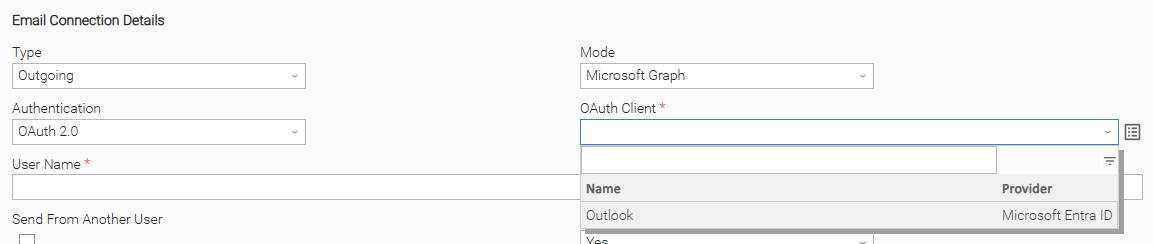
B-22658 | MS Graph support for email connections - Outbound email (Email task, Email notification, System notification) | Outgoing Email Connections now support the usage of MS Graph API.
|
Auditing
Backlog | Title | Description |
|---|---|---|
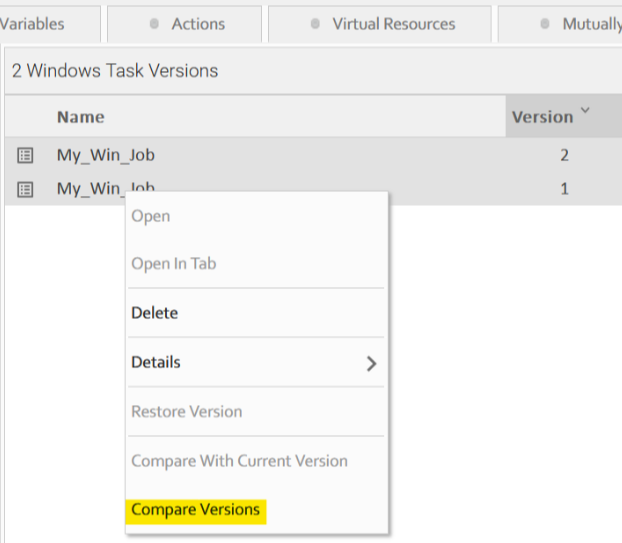
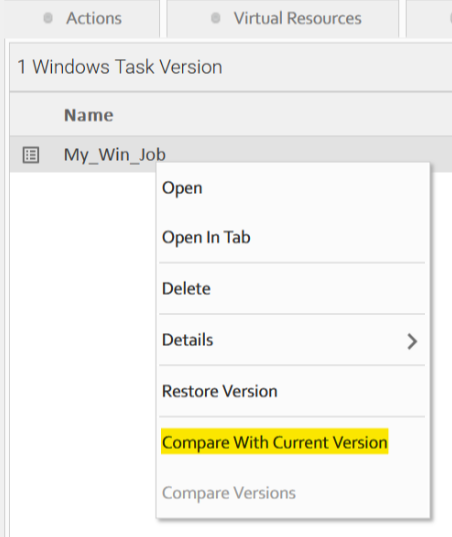
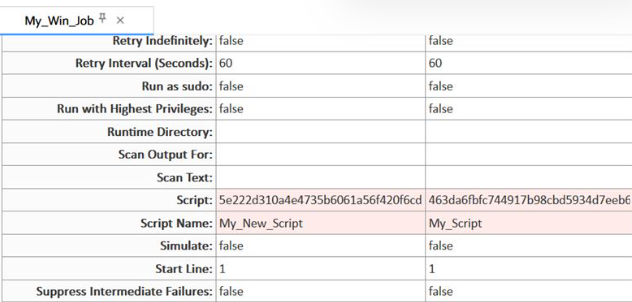
B-03780 | Provide capability to view differences between versions | You can now compare the Details of two versions of a record with the new Compare Versions and Compare with Current Version actions.
When comparing versions, fields that have changed between versions are highlighted:
See Comparing Record Versions for details. |
Conversions
Backlog | Title | Description |
|---|---|---|
B-22655* | Allow Date functions to be based on Trigger-specified TZ | Date functions have always been resolved based on the default (server) time zone. You can now opt to use the Task Time Zone Preference when resolving Date functions for a Task Instance. This behavior can be controlled with the new Use Task Time Zone Preference For Date Functions system property. |
Dependency Modernization
Backlog | Title | Description |
|---|---|---|
B-23599* | Upgrade Oracle JDBC Driver (21.20.0.0) | The Oracle JDBC driver has been upgraded to version 21.20.0.0. |
Security
Backlog | Title | Description |
|---|---|---|
B-22652 | Allow for restricting Agent business service registration to the associated OMS business services | A new field, Strict Business Service Membership, has been added to OMS Servers. If enabled, Agents are only allowed to register with an OMS Server if the OMS Server is a member of each Business Service the Agent is a member of. |
B-22438 | SBOM | A Software Bill of Materials (SBOM) in SPDX JSON format is available upon request. |
Web Service API
Backlog | Title | Description |
|---|---|---|
B-09127 | Web Service API - Reports - Read, and List | New Report APIs have been introduced:
Both APIs return report records in JSON format, including an optional The existing Run Report API has also been enhanced with support for |
B-18422 | Web Service API - z/OS Select Steps for Re-run | New Task Instance APIs have been added to manage job steps for z/OS instances:
|
B-21537 | Web Service API - Task / Task Instance / Trigger API Enhancements | Several Web Service APIs have been enhanced: Task Instance List (
Task Instance List Advanced (
Task Instance Read (
Task Instance Output (
Task List (
Trigger List (
Trigger Read / Trigger List Advanced
Cross-Cutting: Timestamp Fields
|
B-22642 | Web Service API - Promotion Schedule - Reschedule | New Promotion Schedule APIs have been introduced:
The existing Bundle Promotion - Schedule API response has also been updated to include the schedule details of the promotion. |
Workload Analytics / Observability
Backlog | Title | Description |
|---|---|---|
E-02261 | Universal Events & Webhooks
| Universal Event The following attributes have been added to the Task Status Change and Task SLA Universal Events:
Webhook - URL Action The following built-in variables are now available for resolution in Webhook URL Actions:
|
B-21676 | Virtual Resource variable resolution - Task Instance level | Previously, when viewing Task Instance Virtual Resources, the resolved values of Resource Variables were not shown. You can now see the Last Resolved Resource value of virtual resource variables used for a Task Instance. See Creating Task Virtual Resources for details. |
B-23681 | Add CPU logging to interval logging | CPU information is now included in the interval logging output. The new CPU line reports JVM and System CPU usage percentages (e.g. |
Workload Automation
Backlog | Title | Description |
|---|---|---|
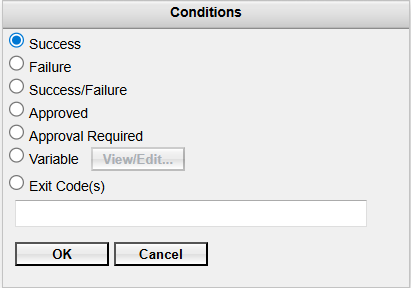
E-02307 | Approval
| Approved / Approval Required New workflow dependency conditions have been added for Approval Tasks:
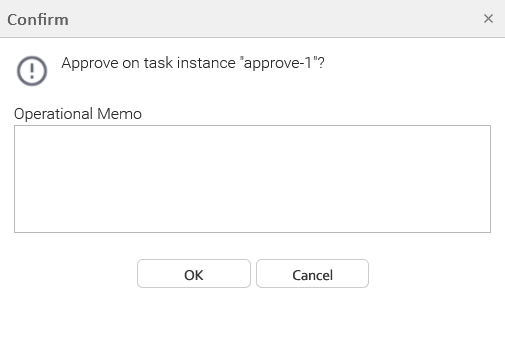
Operational Memo You can now optionally specify a reason for approving/rejecting an Approval Task by setting the Operational Memo during the approval.
This functionality also applies to the Approve/Reject Task Instance APIs. You can set the memo by entering a text/plain request body. |
E-02309 | IBM i
| Email Notification - Task Instance Output - Convert to PDF Task instance output (such as STDOUT, STDERR, and JOBLOG) can now be converted to PDF format when attached to email notifications. This is controlled by a new system property:
Note: This property applies to all task / output types. Attach Job Log The Attach Job Log option is now available on Email Notification Actions for IBM i Tasks. Since the IBM i JOBLOG is returned automatically during execution, the sub-fields (Start Line, Number of Lines, Scan Text) are not applicable and are hidden for IBM i task types. When used with the Attach Task Instance Output As PDF property (see B-23009), the JOBLOG can also be attached in PDF format. Variable in Jobname (and other) Fields The following IBM i Task fields now support variable resolution:
|
B-15865 | Configurable limit for the number of tasks that can be launched via Run Command On Filtered > Launch | A new system property, Run Command On Filtered Task Launch Limit, has been added. You can now configure a limit for how many tasks can be launched at one time using the Run Command On Filtered > Launch command. |
B-22525 | Add ability to filter Agent File Monitor tasks by z/OS job name | A new Jobname (z/OS only) field has been added to Agent File Monitor Tasks, next to the File Owner field. This allows filtering monitored files by z/OS batch job name, started task (STC) name, or TSO User ID. Wildcard characters The field is uppercase, supports variable resolution, and accepts 1–8 characters starting with an alphabetic or |
B-22680* | Add configurable Choice Field to any Task Type | In addition to the existing user-defined text fields (Custom Field 1 and Custom Field 2), you can now add a custom choice field to all Task Details forms. You can specify a label for this field, as well as a list of available values, and which task type(s) require this field. See the following system properties for more information:
You must define both the Label and Options for the choice field to appear. |
* Defect fix or feature available in maintenance for prior release.